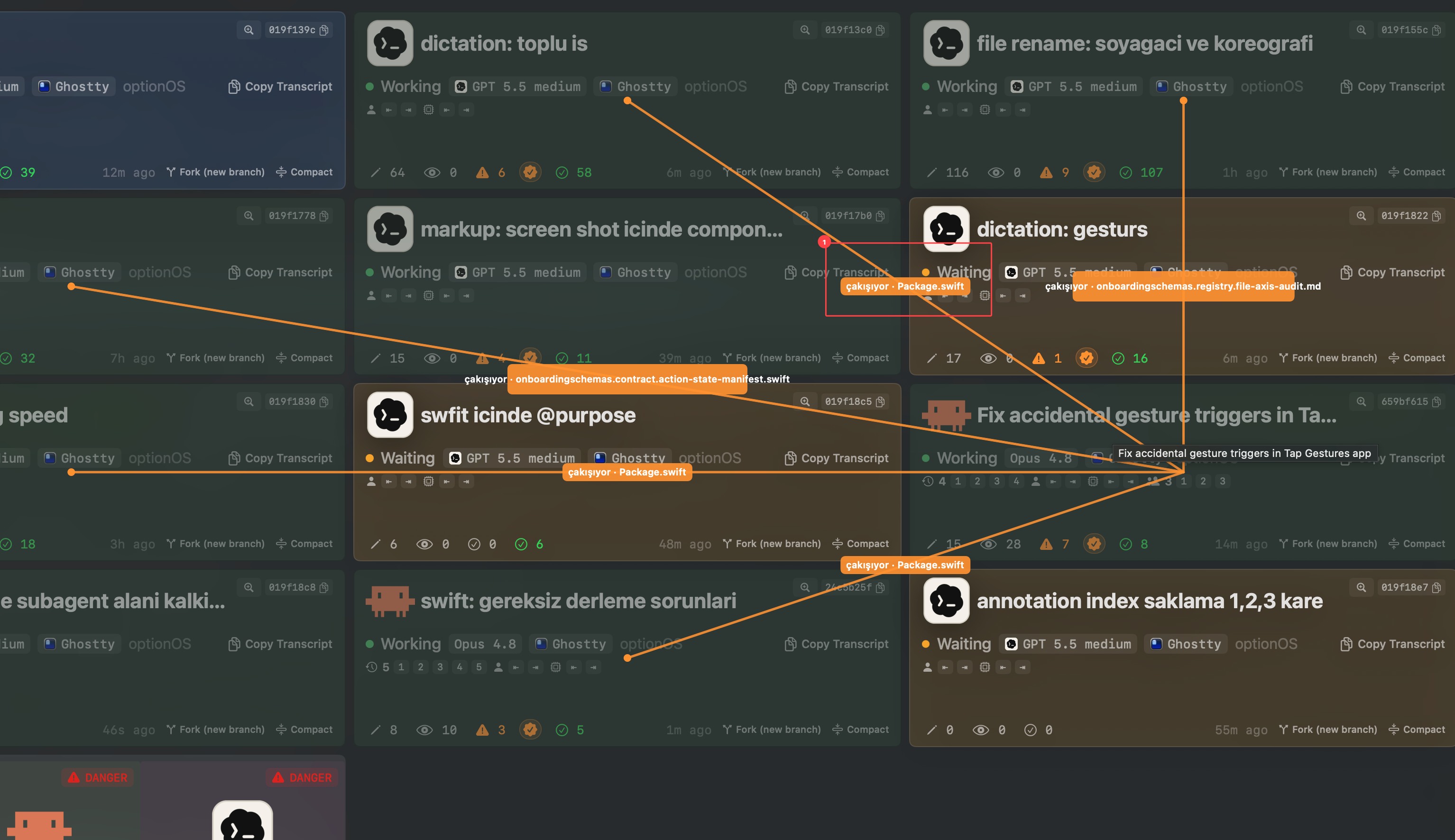
Who needs me?
Every card shows Working or Waiting, live. Amber means an agent stopped and is waiting on your answer — no more finding out twenty minutes later.
You run five AI agents in parallel and lose track of all of them. Cockpit is a menu-bar deck that shows every live session at a glance — who's working, who's waiting on you, and one click to the exact terminal.
The deck answers the three questions you ask forty times a day.
Every card shows Working or Waiting, live. Amber means an agent stopped and is waiting on your answer — no more finding out twenty minutes later.
Select a card and Cockpit hands provider + session ID to your editor — VS Code or Ghostty jumps to that exact terminal. Open the deck from the menu bar, a hotkey, or a four-finger tap.
Open any card into a panel and read the whole conversation — then Copy Transcript puts it on your clipboard, ready to hand to another agent or a teammate.
Search isn't a text box bolted on — it's a small query language over everything your agents did.
“Which agent touched that file last week?” is one query, not ten scrollbacks.
Happy with what an agent built? Commit its work straight from the card — the hash lands on the card for the paper trail.
Agent went sideways? Unwind its changes without touching what your other agents are doing.
Want a second opinion? Fork the session onto a new branch and let another agent take its own run at the problem.
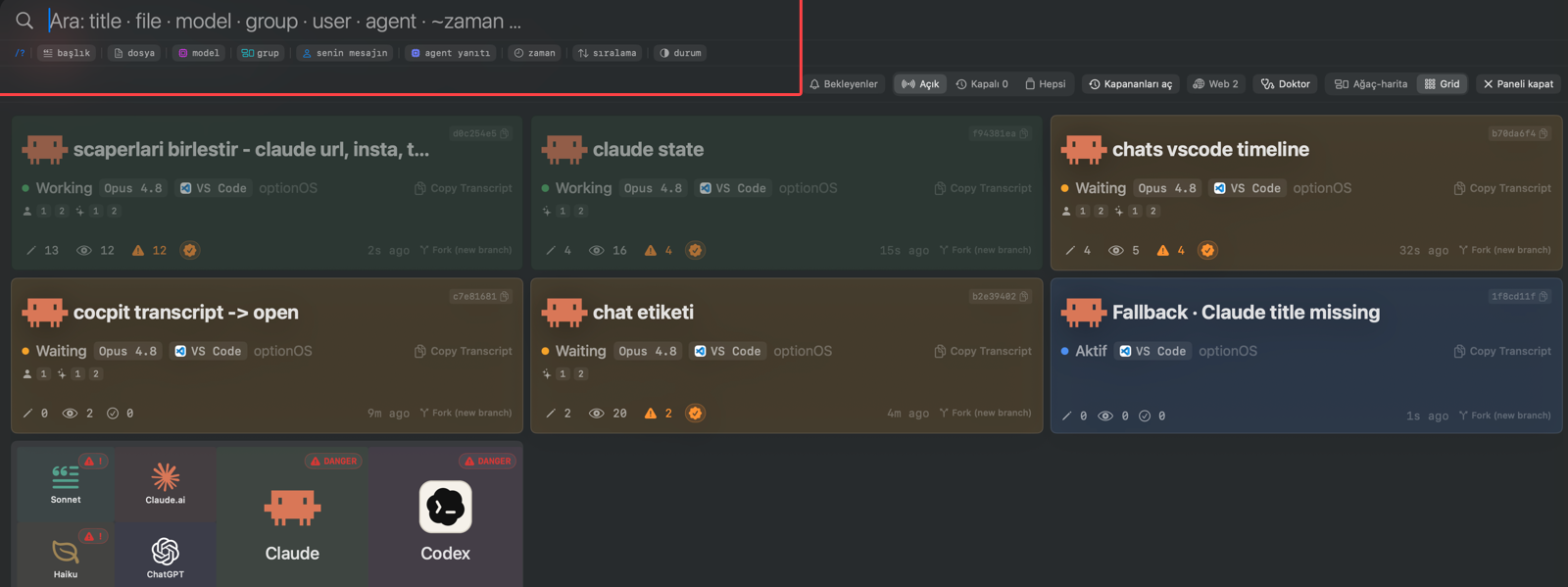
Straight from a working session — the same screens you'll fly.
Cockpit watches agent sessions running in Ghostty and VS Code — install the companion extension, run Doctor if anything looks off.
The VS Code side is a companion extension: install it in the workspace that owns your agent terminals, and the deck fills itself.
Cockpit ships as part of optionOS. Leave your email and we'll send the download when your seat is ready.