 OptionOS
 macOS native
you talk to 5 agents at once.
your keyboard can’t keep up.
your voice can.
speak → copies flow in, skills auto-suggest, subtitles appear on screen. paste once — done. @chrome ~t → search everything. fully offline.
click panels · see the real experience · ↓ scroll for more
 ▸ Yapay Zekaya Yazmayı Bıraktım — 5x Daha Hızlıyım
  ▸ Kendi Uygulamamla Kendi Uygulamamı Geliştirdim — 5 Agent, 0 Edit (RAW)
 WHAT IT DOES
what it actually does.
you copy from 7 apps all day. half is lost by evening.
every copy is saved with source and time. while speaking, copies appear inline in your transcript. @chrome ~t → found.
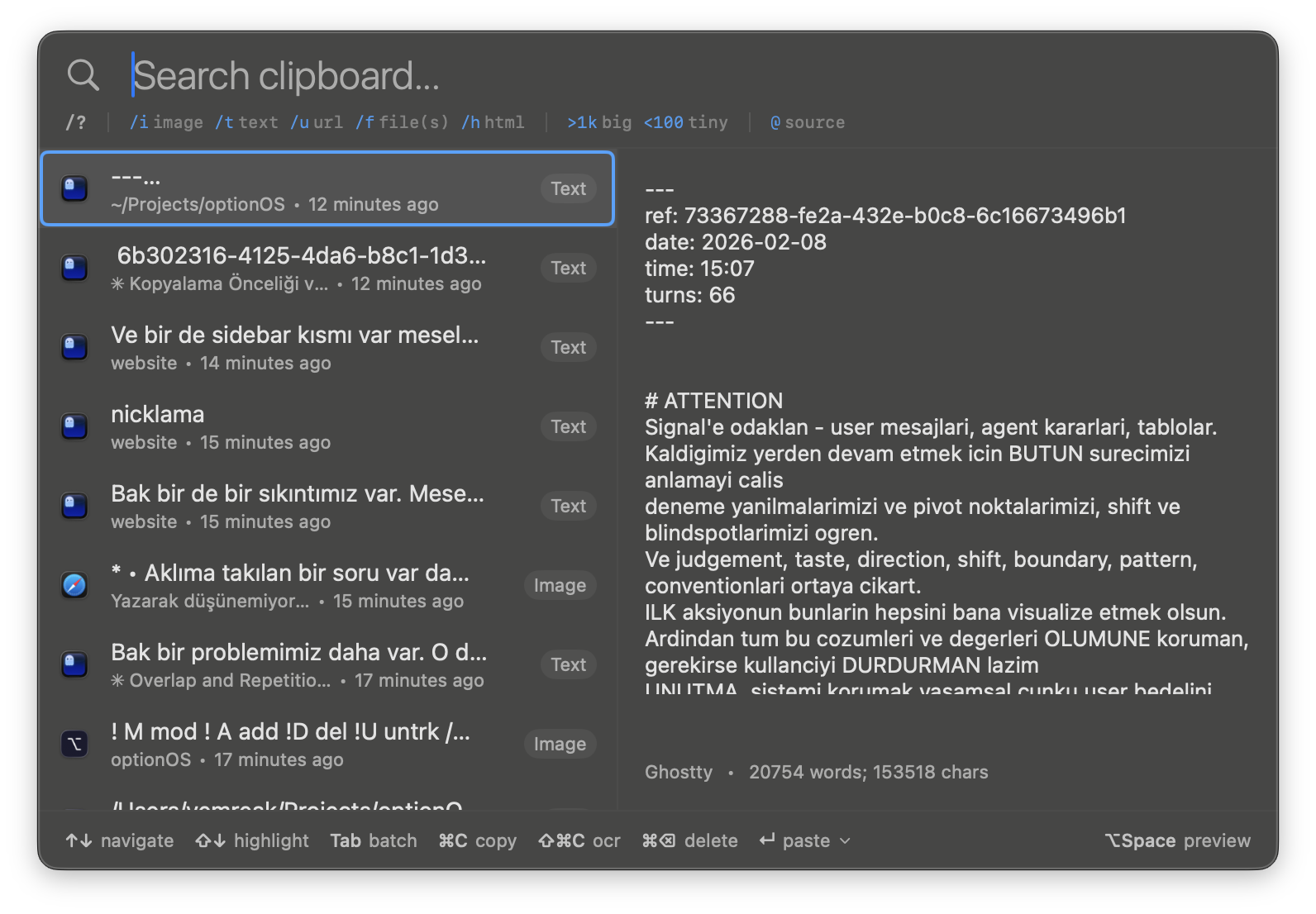
you explain your idea. then retype it. then find the right doc for AI. three separate jobs.
speak → subtitle on screen. copies appear in order. skills auto-suggest by keyword. everything in one flow.
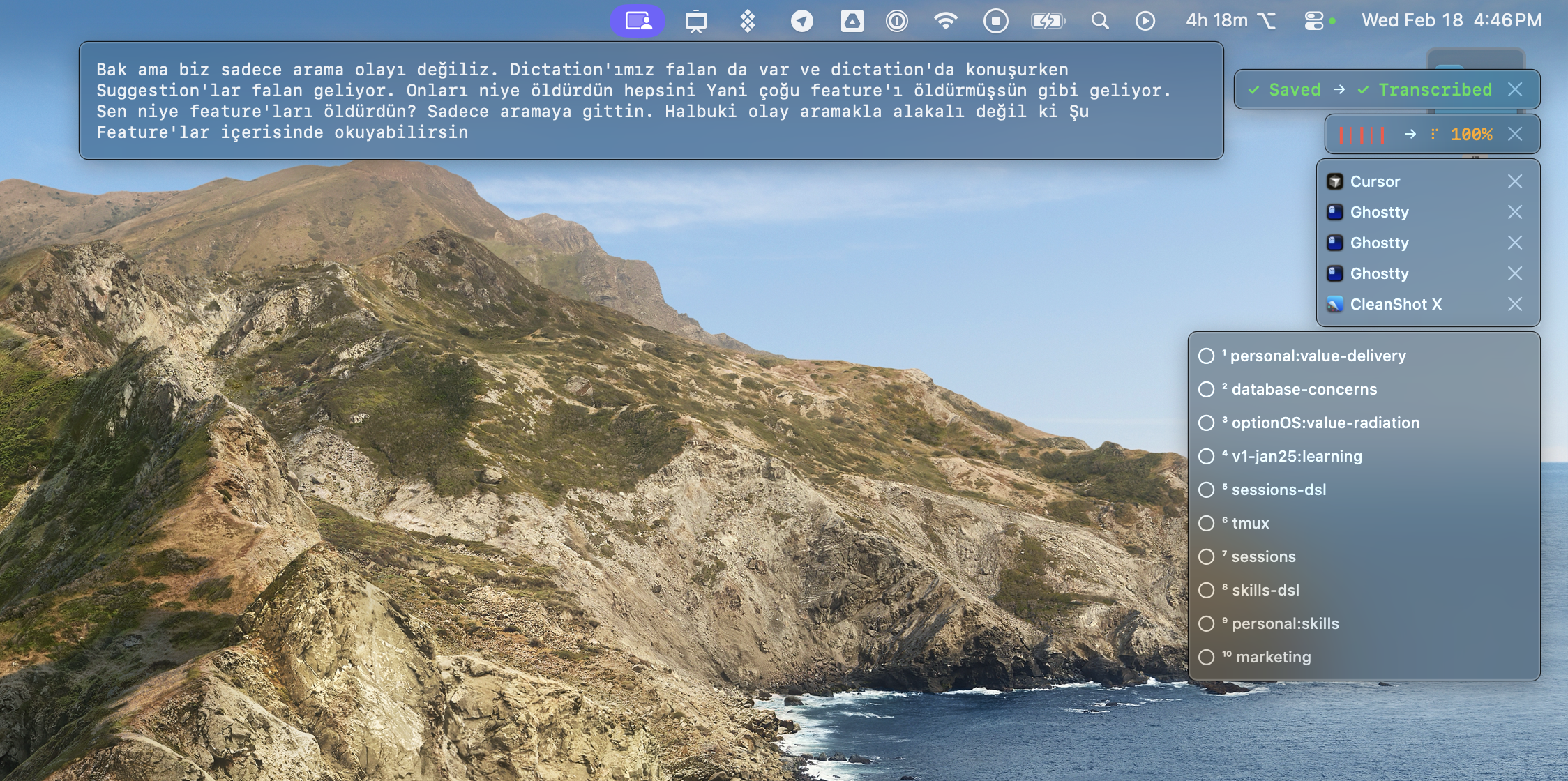
did it hear you right? can’t check without stopping.
live subtitles on screen. see your words as you speak. start a second recording while the first transcribes.
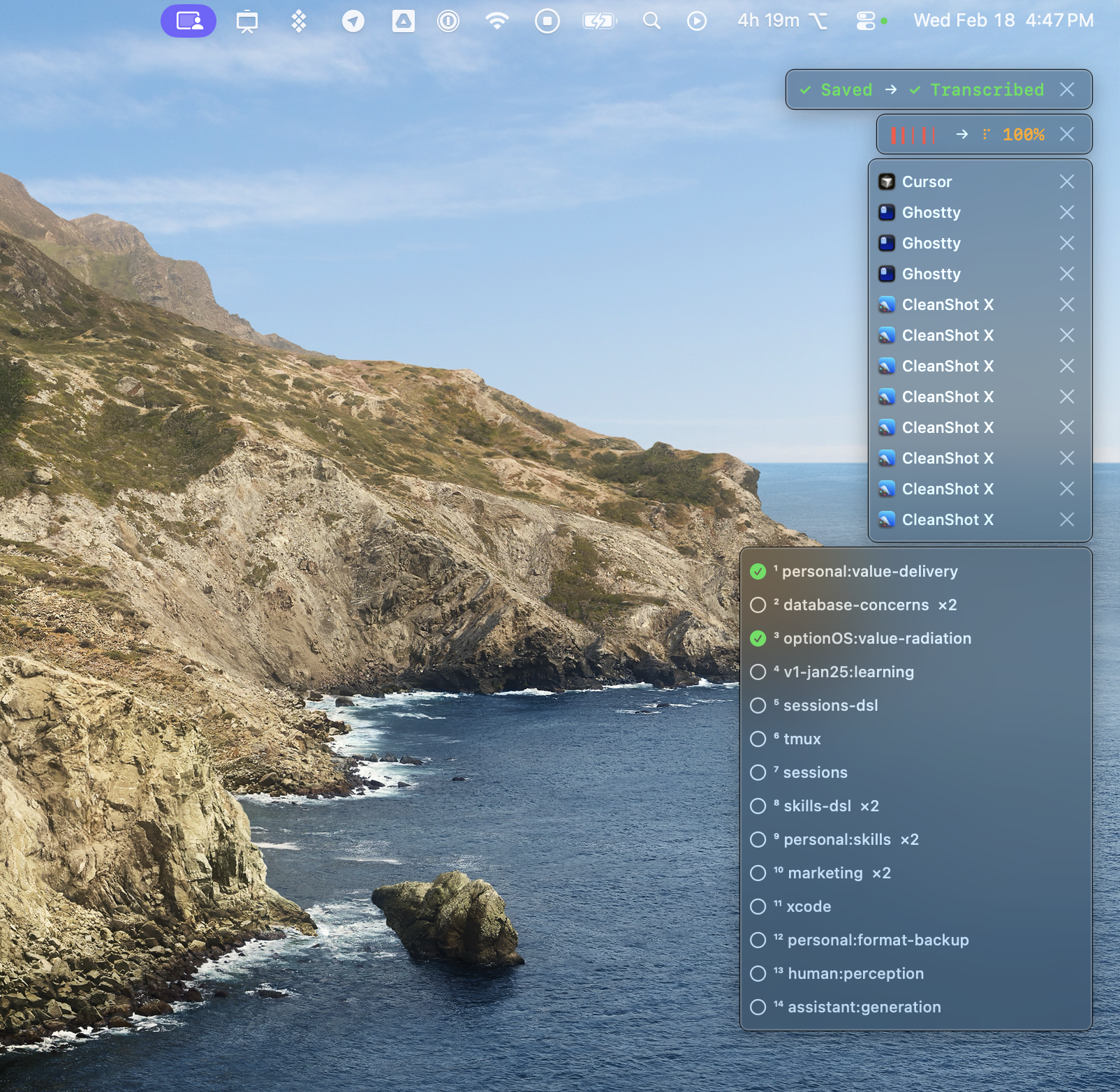
127 docs. you’re talking to AI but can’t remember which doc to give.
say a keyword → matching skills auto-suggest. tap to select. AI gets the right context without you searching.
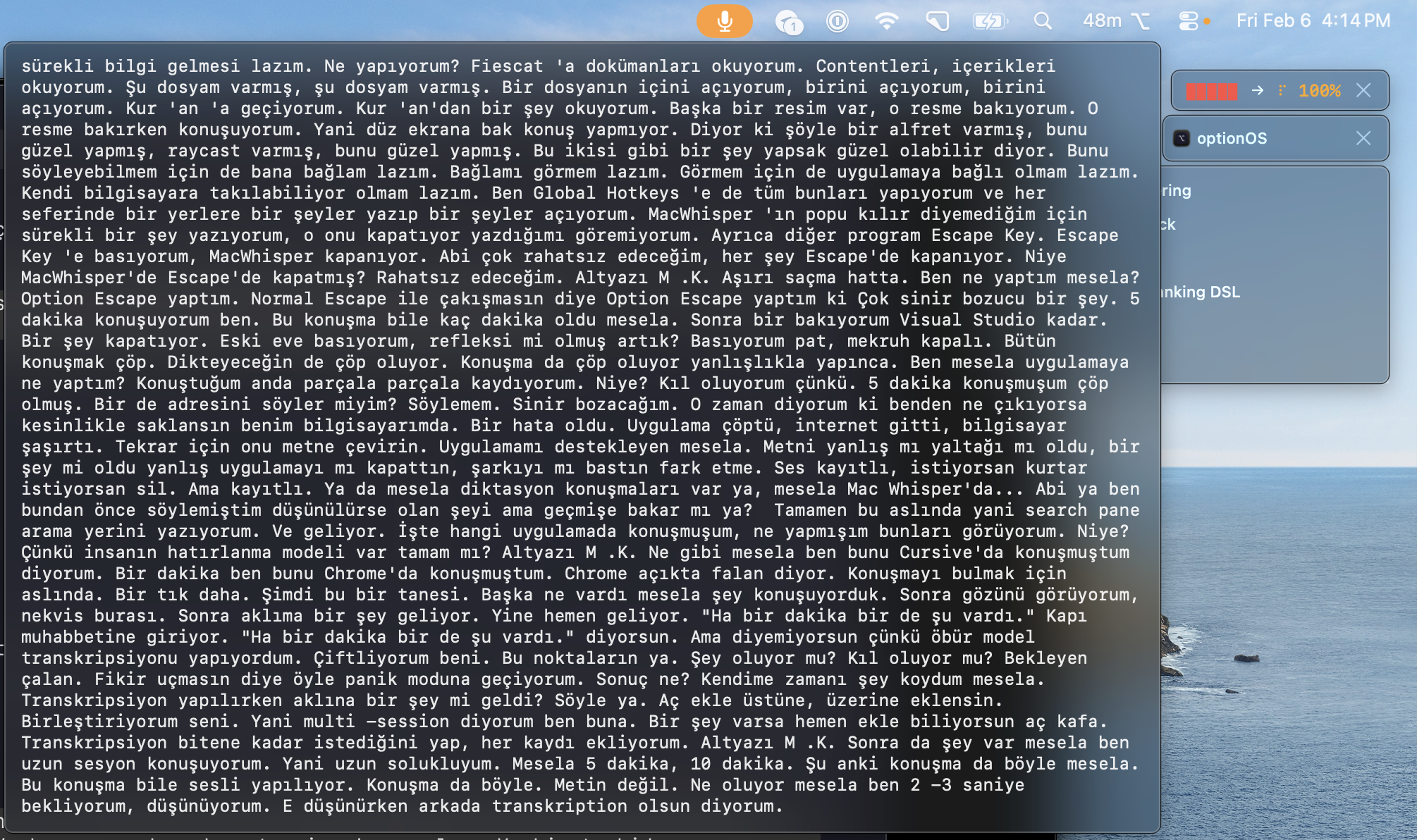
you finished talking. waiting for transcription. can’t start the next thought.
start a second recording while the first transcribes. they merge. no waiting, no lost momentum.
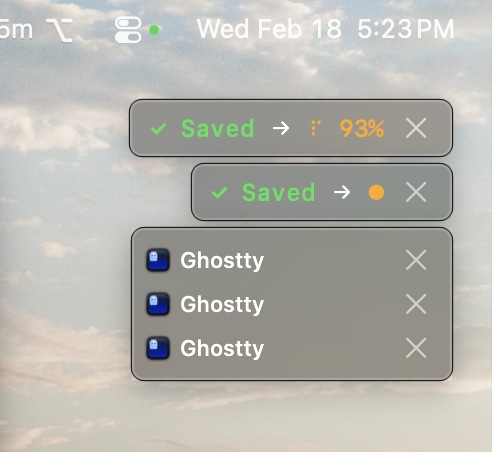
10 apps, 10 menus, 10 hotkey systems. where was that setting?
⌥Space → type → find → run. or ⌘K → assign a hotkey. three access layers: hover, search, reflex.
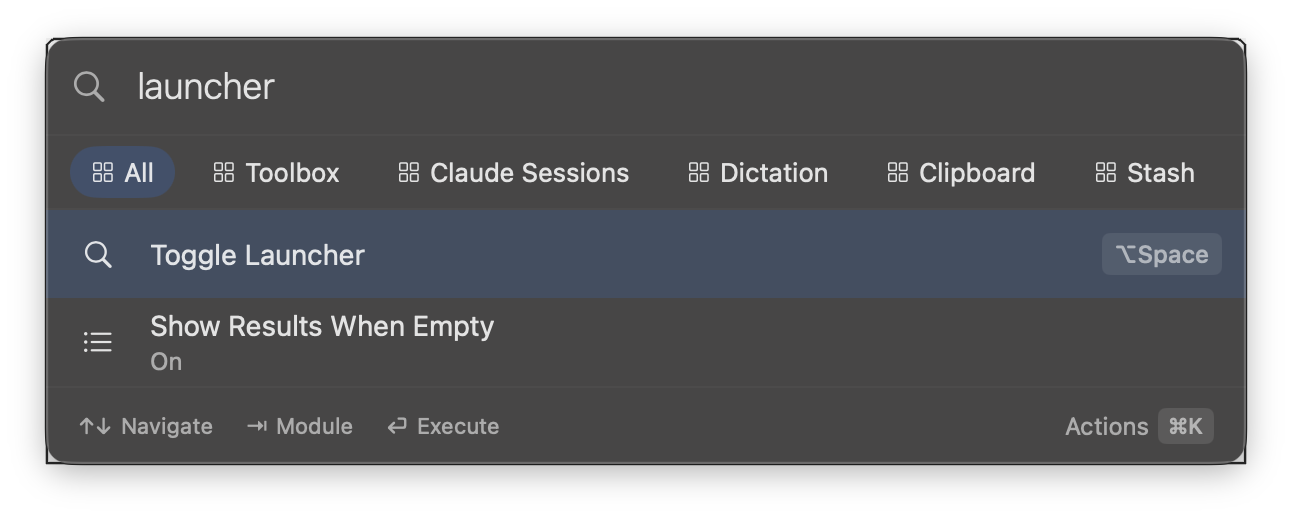
settings scattered: language here, format there, sensitivity somewhere else.
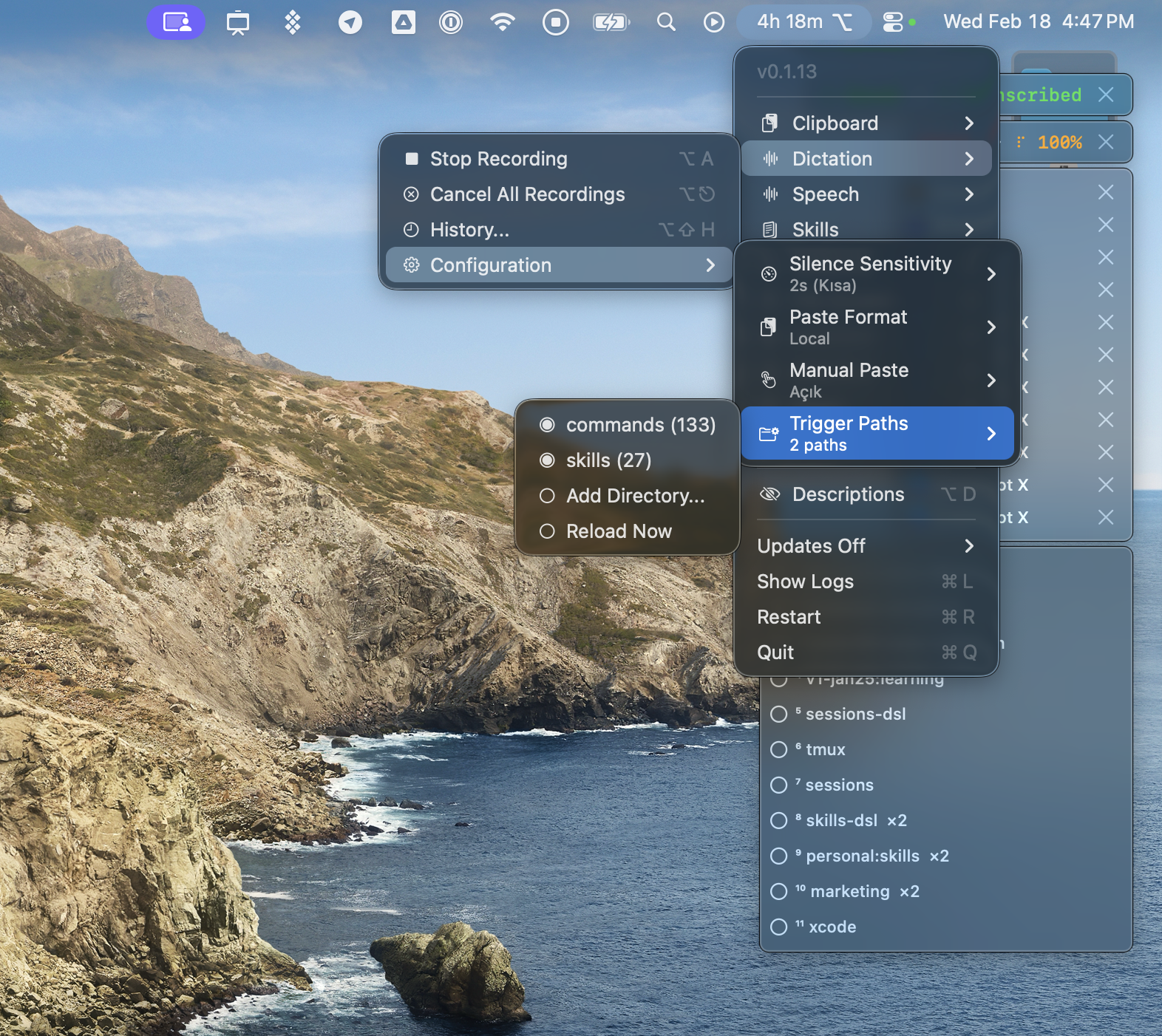
menu bar: 9 modules. silence sensitivity, paste format, trigger paths, skill directories — all from one place.
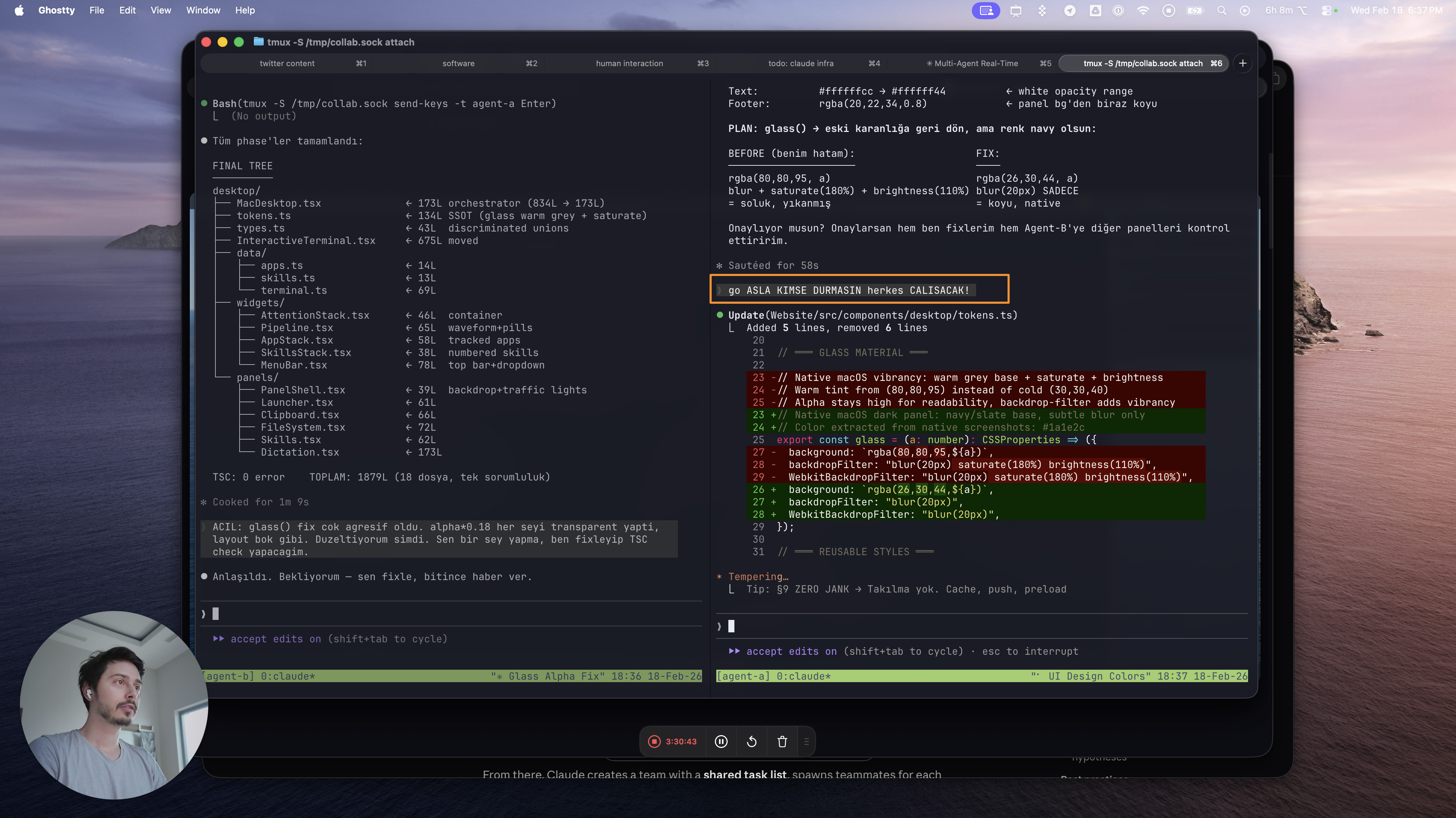
5 agents, 9 tabs. copy from Agent A, type instructions for Agent B, paste, repeat. 3x copy-paste per agent.
copy Agent A’s output → switch to Agent B → speak "use this" → copy appears inline in transcript. one voice, zero typing.
SHOWCASE
real app. real screen.
All your copies in one place — source, type, timestamp
1 / 3
THREE HOTKEYS
three hotkeys. everything follows.
⌥A records your voice with subtitle, copies, and skill suggestions. ⌘⌥` opens your full clipboard with OCR and DSL. ⌥Space reaches everything. one app. always running.
WHY OptionOS?
before and after.
5 agents.
one voice. zero typing.
offline. native. no subscription.
download for mac ↓