
The optionOS ecosystem in one working surface
optionOS now reads less like separate tools and more like members of the same AI work ecosystem: Dictation carries speech and capture, Clipboard/Pano manages visuals and paste flow, and Cockpit watches agents on Mac a…
optionOS now reads less like separate tools and more like members of the same AI work ecosystem: Dictation carries speech and capture, Clipboard/Pano manages visuals and paste flow, and Cockpit watches agents on Mac and in VS Code.
Dictation, Clipboard and VS Code Cockpit together
In one working screen you can see Dictation capture actions, Clipboard/Pano content and the VS Code Cockpit panel at the same time. This layout keeps “what did I say, what did I copy, which agent is waiting?” in one context.
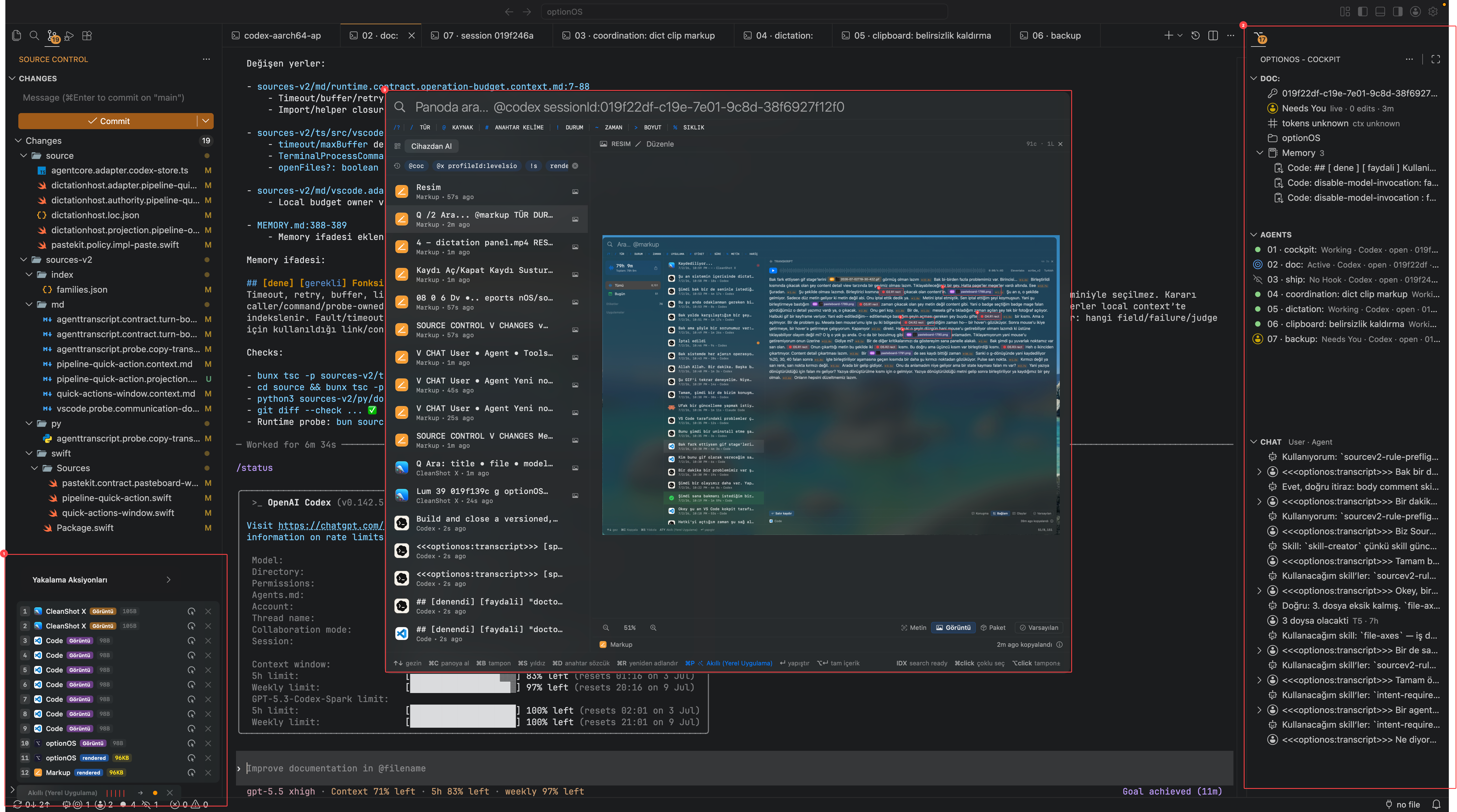
- 1Dictation and capture actions
- 2VS Code Cockpit panel
- 3Clipboard/Pano working surface
Mac Cockpit and VS Code Cockpit show the same agent family
The Mac Cockpit grid gives a wide view of all agent cards; VS Code Cockpit keeps the selected workspace's session, memory, agents and chat inside the editor. Dictation and the capture list supply speech and visual context to both surfaces.
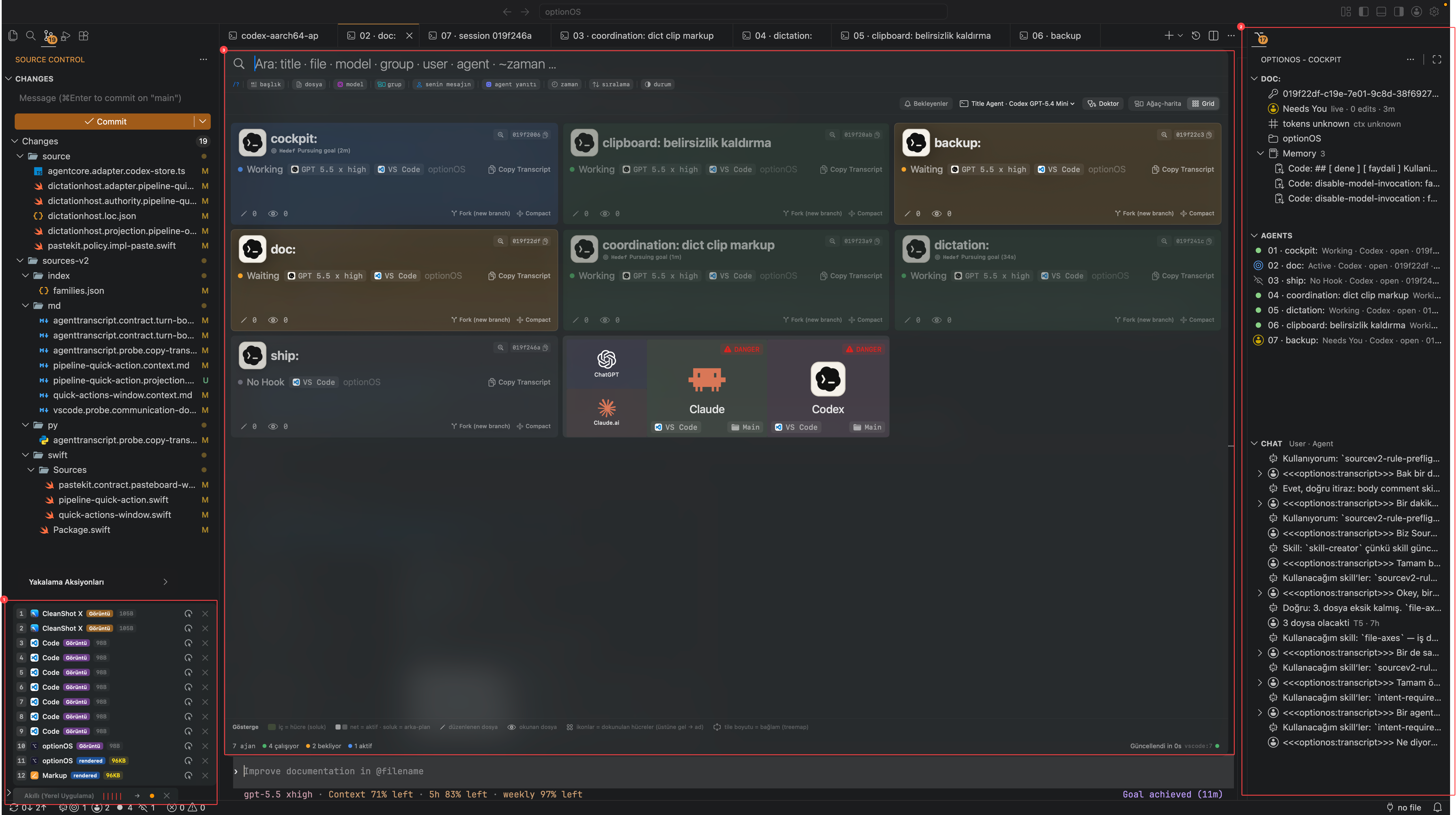
- 1Dictation capture list
- 2VS Code Cockpit panel
- 3Mac Cockpit agent grid