
Cockpit cards now have a stable number, a color tag, and two transcript-copy scopes
Cockpit cards now make it easier to find an agent session again and choose exactly which transcript scope should travel with you.
Cockpit cards now make it easier to find an agent session again and choose exactly which transcript scope should travel with you.
Number and color identify the card; two controls separate the copy scope
Each agent session receives a stable number the first time it appears. Right-click a card to choose, replace, or clear a color; give cards you consider related the same color to carry your own visual meaning.
Under Copy Transcript, the left person button copies only your prompts. The right Editable button copies the human and agent messages plus edit headlines for paths changed by the agent; raw patch bodies are left out.
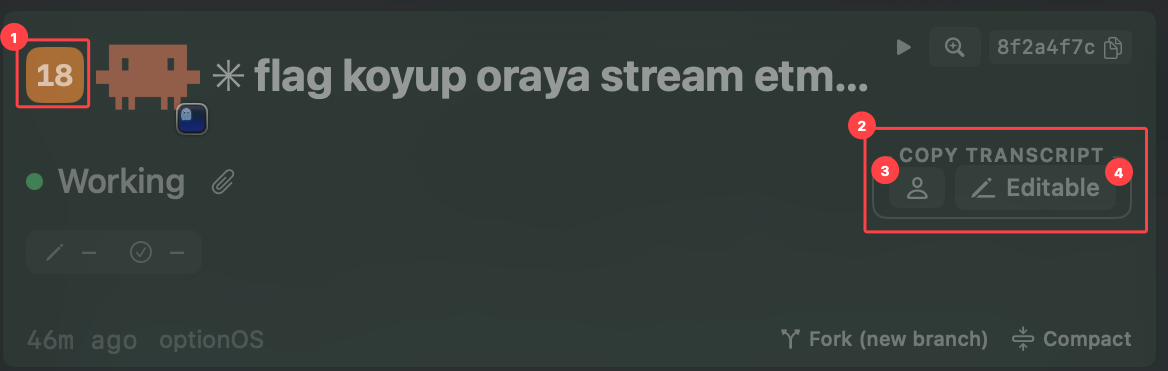
- 1Stable card identity — the system-assigned number and user-selected color
- 2Copy Transcript — the shared group for both copy scopes
- 3User only — copies only human prompts
- 4Editable — copies human and agent messages plus edited-file paths