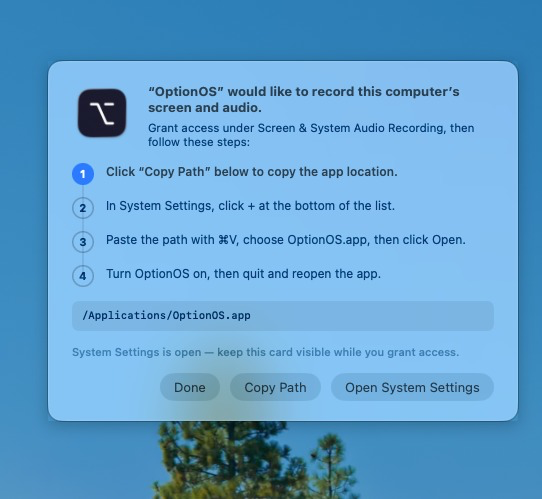
Screen-recording permission now leads to the right Settings page from one card
When screen recording access is needed, the correct System Settings destination and every required step remain in one guide card.
When screen-recording access is needed, the correct System Settings destination and every required step remain in one guide card.
Open the right Settings page from one card to grant screen-recording access
We’re listening. This change came from a user request.
Instead of stacking handoff windows, one guide stays visible throughout the screen-recording permission flow. It now carries standard Mac window controls, while Open System Settings opens Screen & System Audio Recording directly. If OptionOS is missing, Copy Path and all four steps remain on the same card.