 OptionOS
 Agent Teams Are Here. Your Keyboard Can’t Keep Up.
On February 5, 2026, Lydia Hallie announced that Claude Code now supports agent teams. 1.3M people saw the post.
Instead of one agent working sequentially, a lead agent delegates to multiple teammates that work in parallel — researching, debugging, and building at the same time.
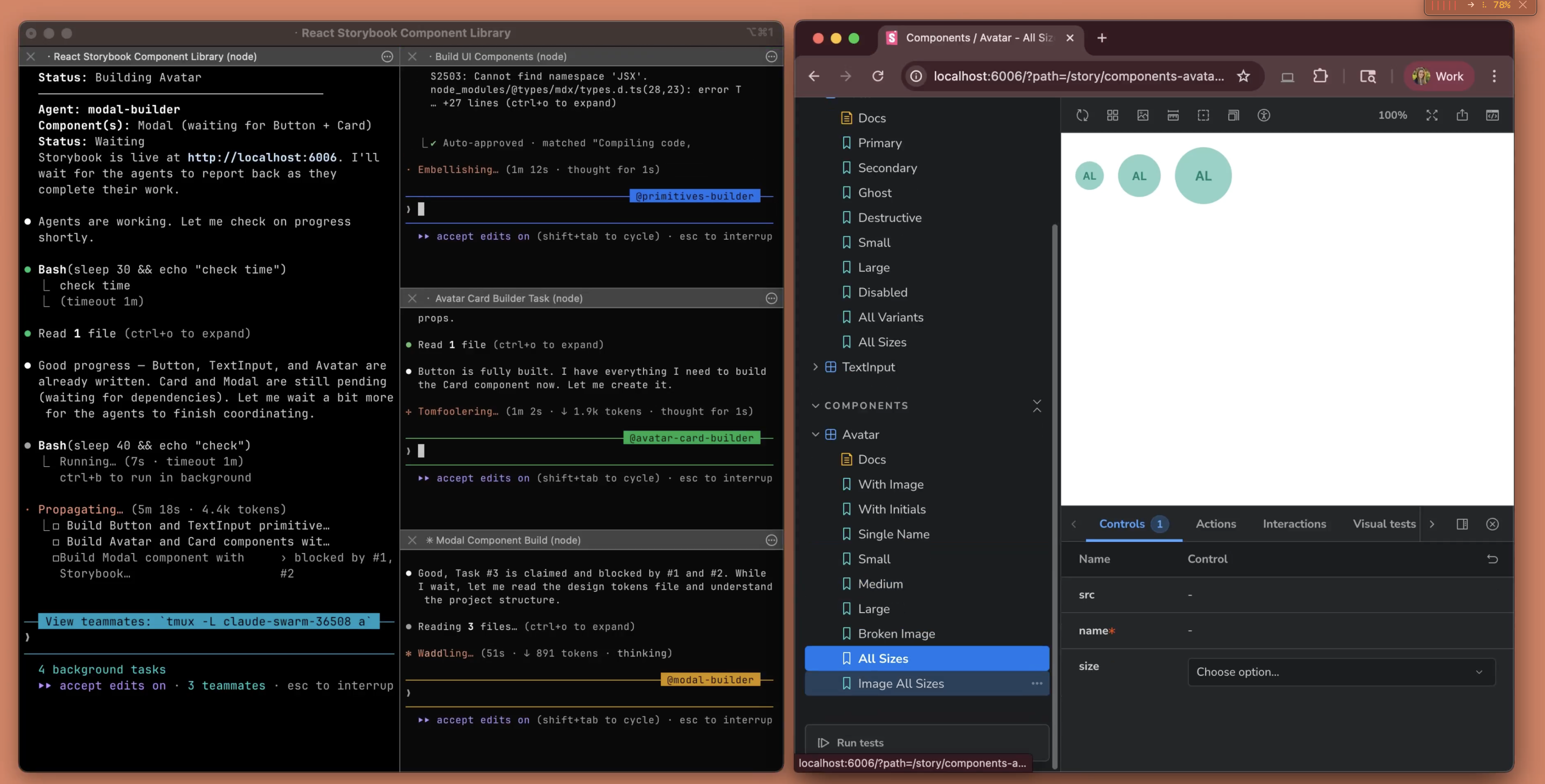
Claude Code now supports agent teams. A lead agent delegates to teammates — primitives-builder, avatar-card-builder, modal-builder — all building in parallel while Storybook previews live.
This changes everything about how you interact with AI.
Before: One Agent, Your Pace
you → write instruction → agent works → you wait → read output → write next
tempo = YOUR speed
You had time. Agent finishes, you read, you think, you type the next instruction. Comfortable.
After: Four Agents, Their Pace
Tab 1: primitives-builder     → writing tokens.ts
Tab 2: avatar-card-builder    → writing Card.tsx, waiting on Tab 1
Tab 3: modal-builder          → writing Modal.tsx, waiting on Tab 2
Tab 4: lead agent             → coordinating, asking YOU questions
Four tabs streaming output simultaneously. The lead agent asks you: “3 sizes or 1 size for Card?”
But you’re reading Tab 1’s output. Tab 3 threw an error and needs context. Tab 2 finished and is waiting for your review.
The Keyboard Problem
Tab 4: type "3 sizes"                          ← 5 seconds
Tab 1: copy output → paste into Tab 3          ← 10 seconds
Tab 2: read → type feedback into Tab 4         ← 15 seconds

MEANWHILE:
Tab 1 produced new output                      ← MISSED
Tab 3 threw another error                      ← MISSED
Lead agent asked again                         ← BLOCKED
Text is a real-time stream now. Four streams at once. While you type to one, the other three keep going. If you fall behind, the context is gone — you can’t scroll back through four parallel streams.
Typing is a bottleneck. Copy-paste is a bottleneck. The keyboard itself is the bottleneck.
The Voice Solution (OptionOS)
1. Speak — voice is parallel, typing is serial
Press ⌥A. Talk. Your words become a transcript with everything you copied inline.
say "3 sizes"                   → transcript    ← 1 second
copy from Tab 1                 → inline        ← 2 seconds
say "give this to Tab 3"        → transcript    ← 3 seconds
see Tab 2 → say "looks good"   → transcript    ← 4 seconds
4 seconds vs 15 seconds. And you missed nothing.
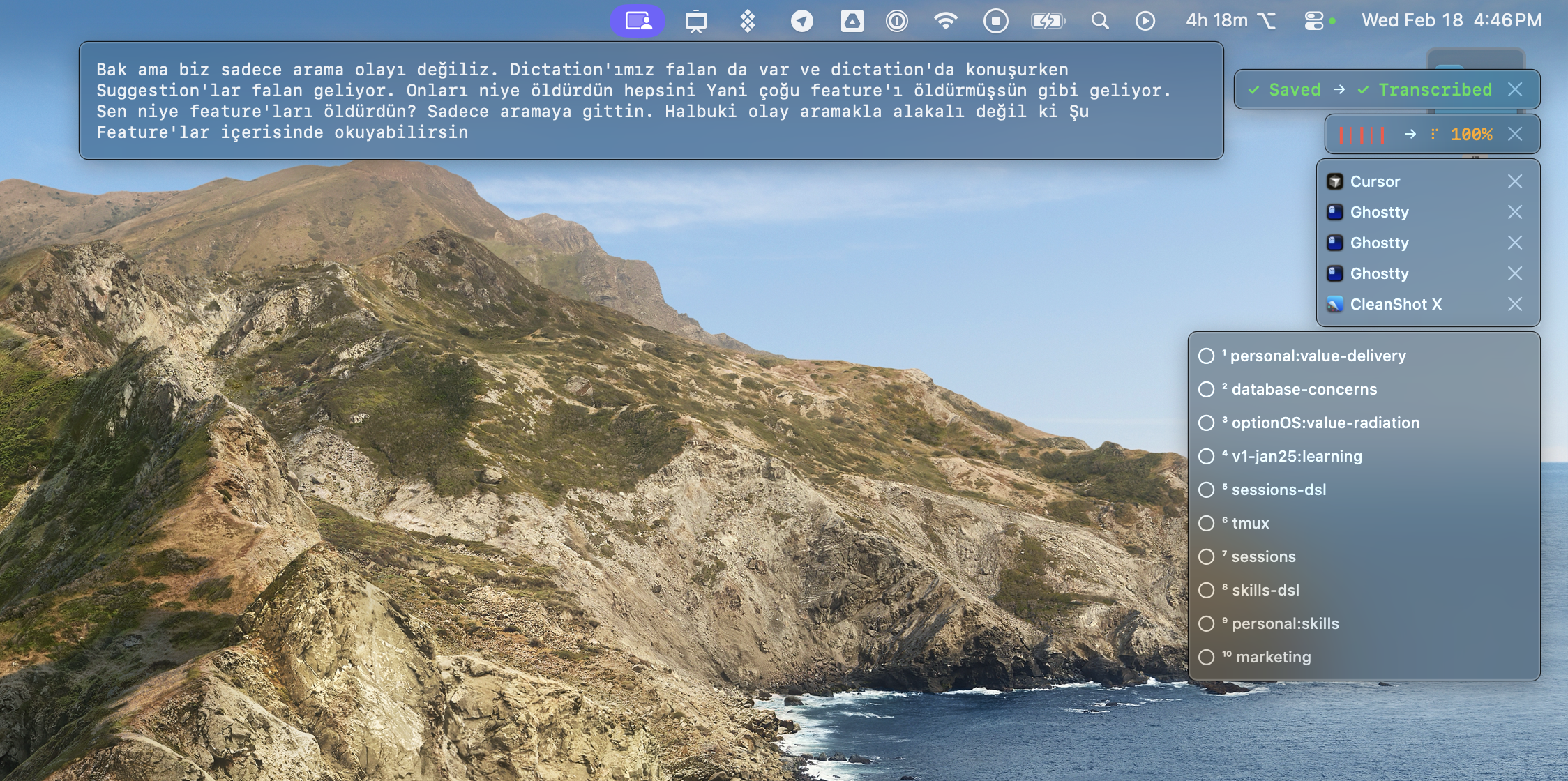
2. See — live subtitle on screen
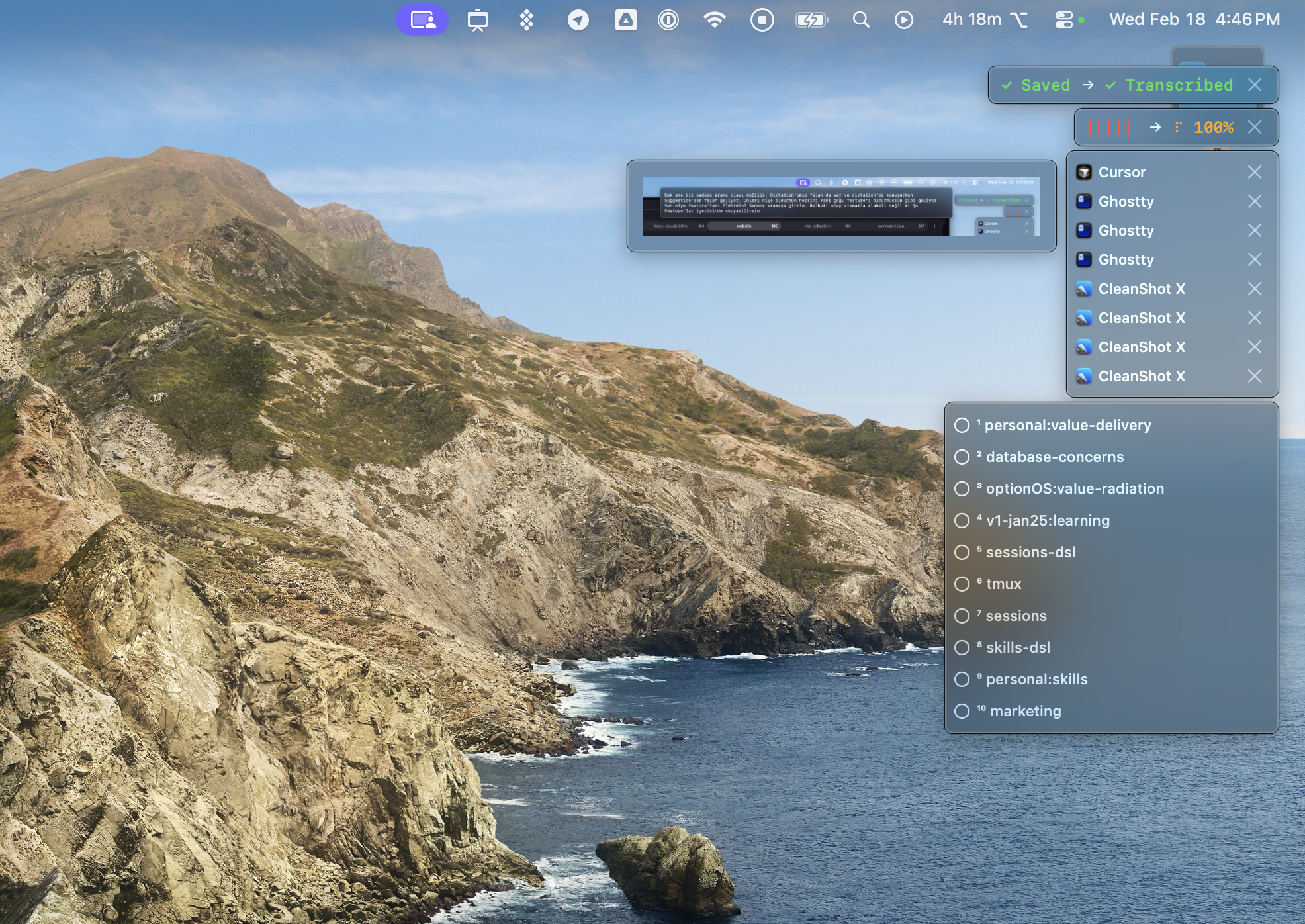
While you speak, your words appear on screen instantly. No guessing whether it heard you right.
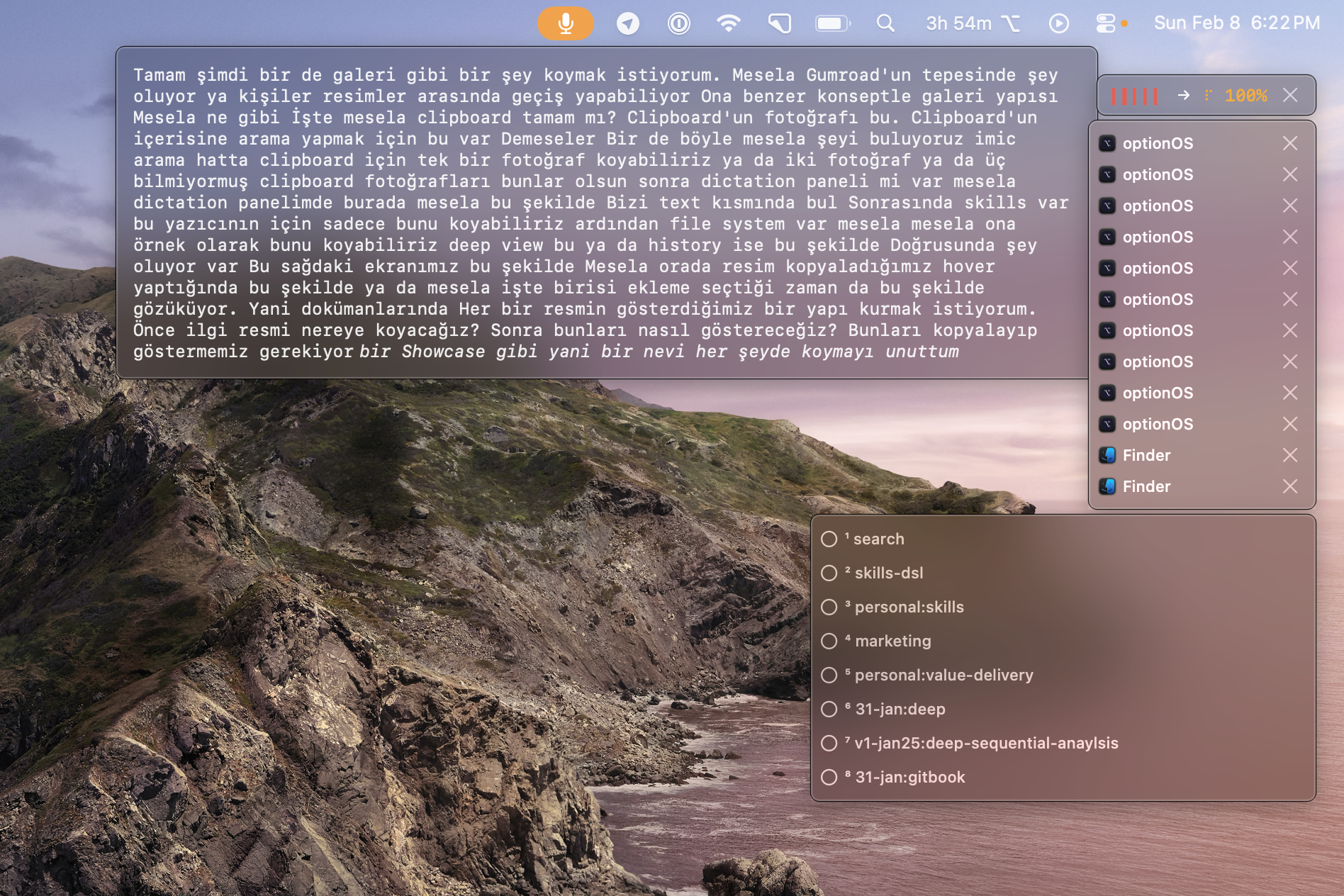
3. Track — your speech + copies + context in HUD
The HUD shows everything you said, everything you copied, your active context. Not which agent is running — what YOU did.
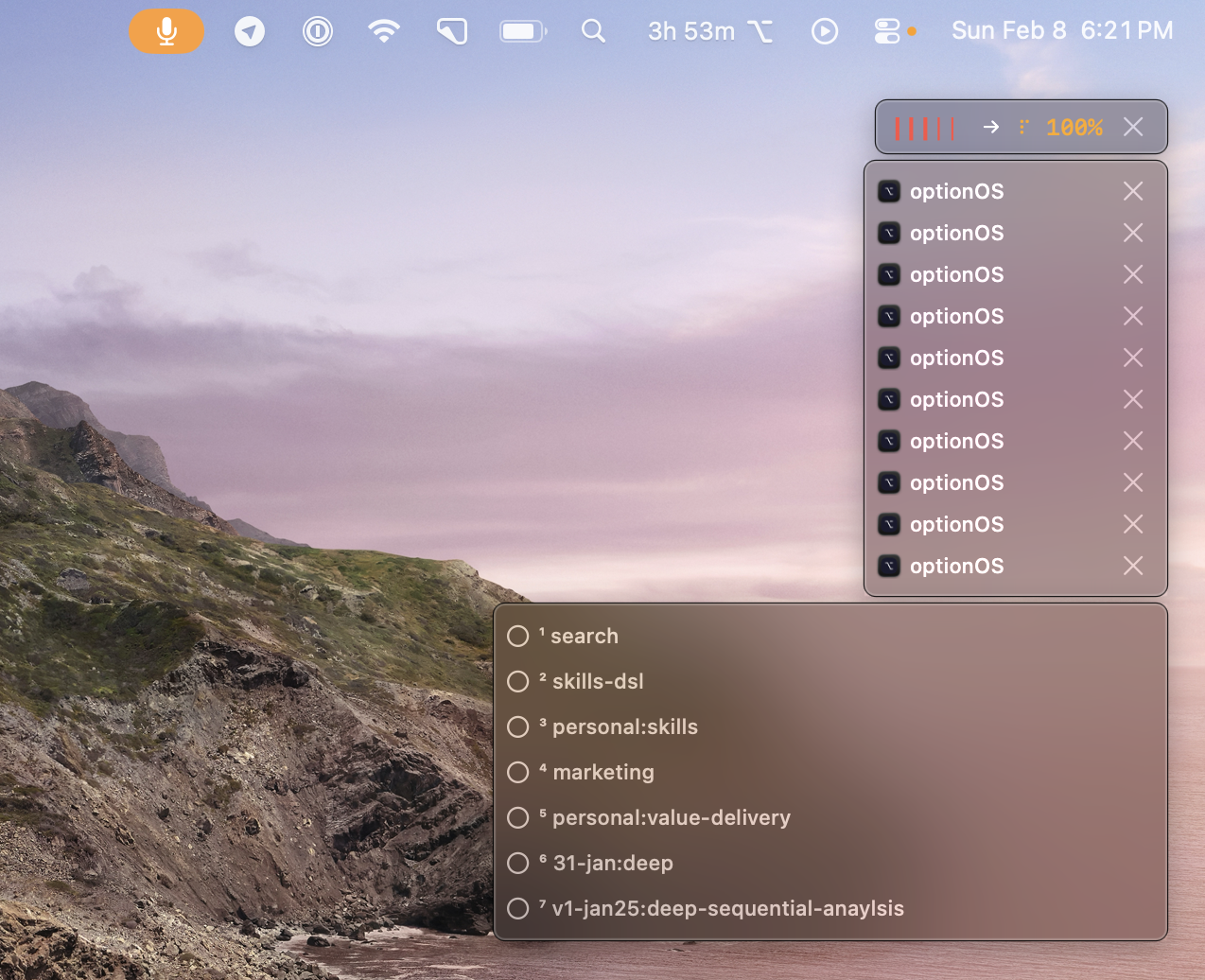
4. Reference — copy from one agent, speak to another
Copy Agent A’s output. Switch to Agent B. Say “use this.” The copy appears inline in your transcript. Agent B gets your voice + Agent A’s context in one paste.
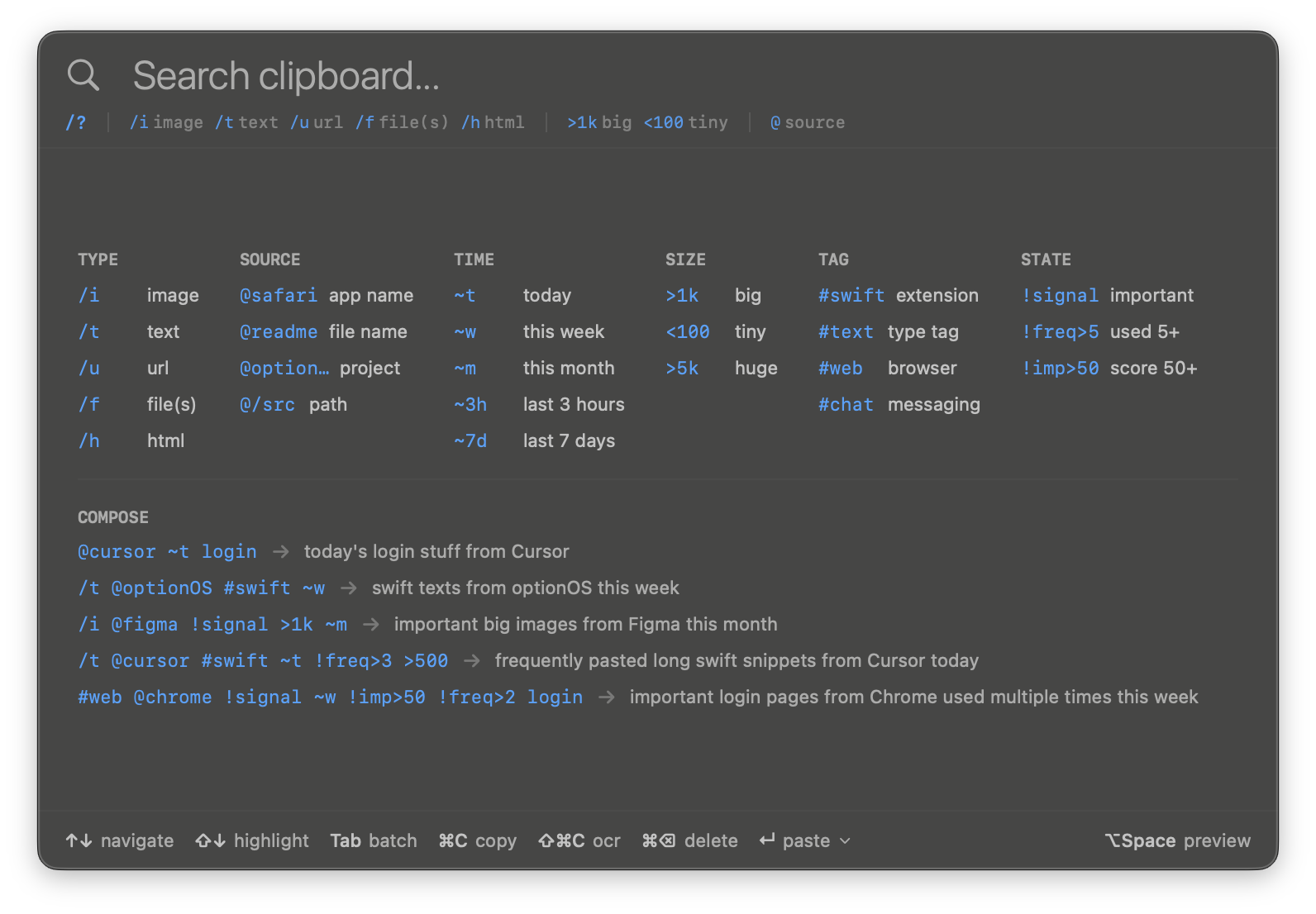
5. Search — find anything you said or copied
Tomorrow, you need that output from Tab 1. Type @chrome ~t in the clipboard panel. Found.
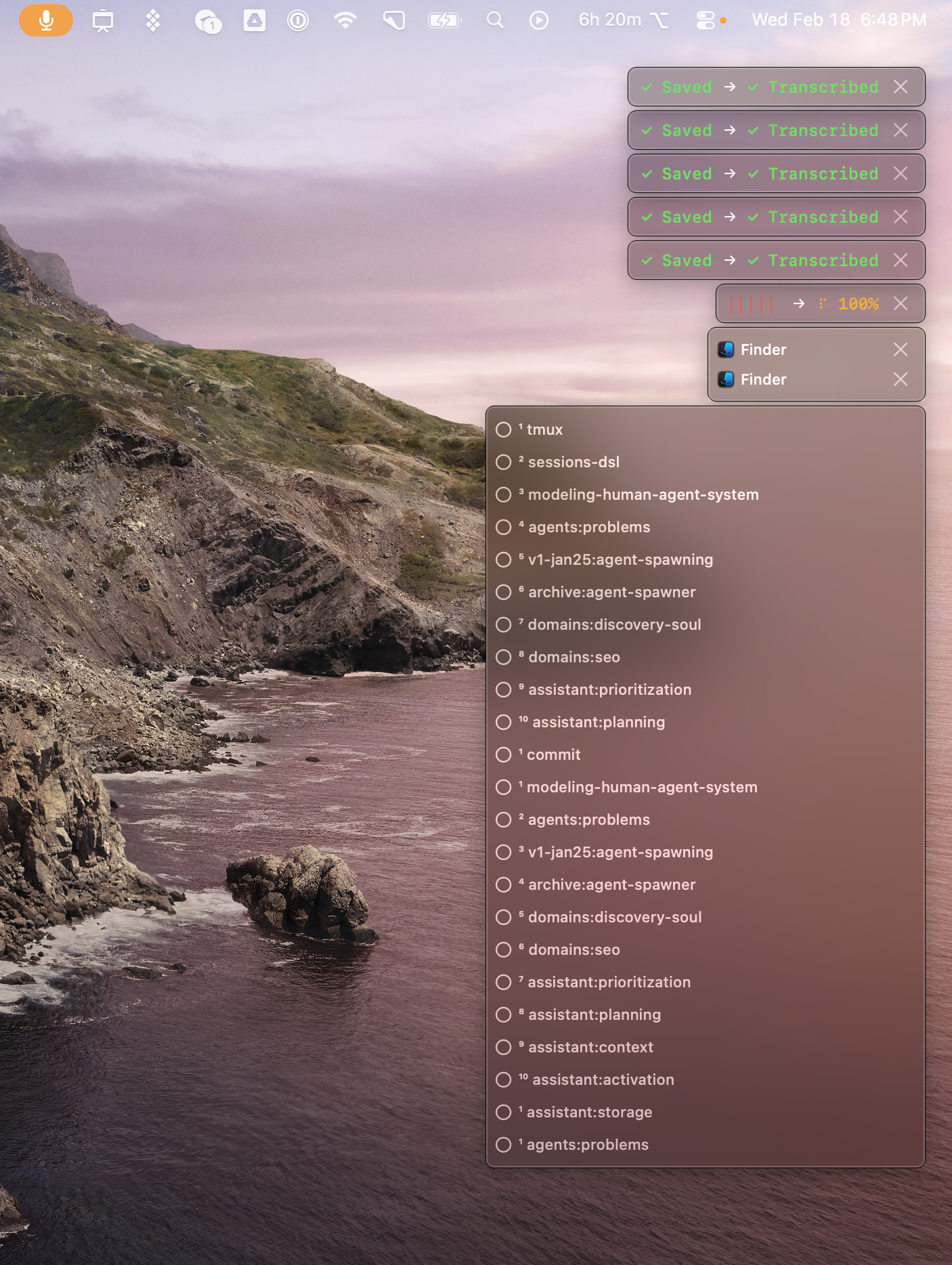
6. Multi-session — don’t wait, keep going
First recording transcribes. Start the second one immediately. Five recordings, all saved and transcribed. 23 skills loaded. Zero waiting.
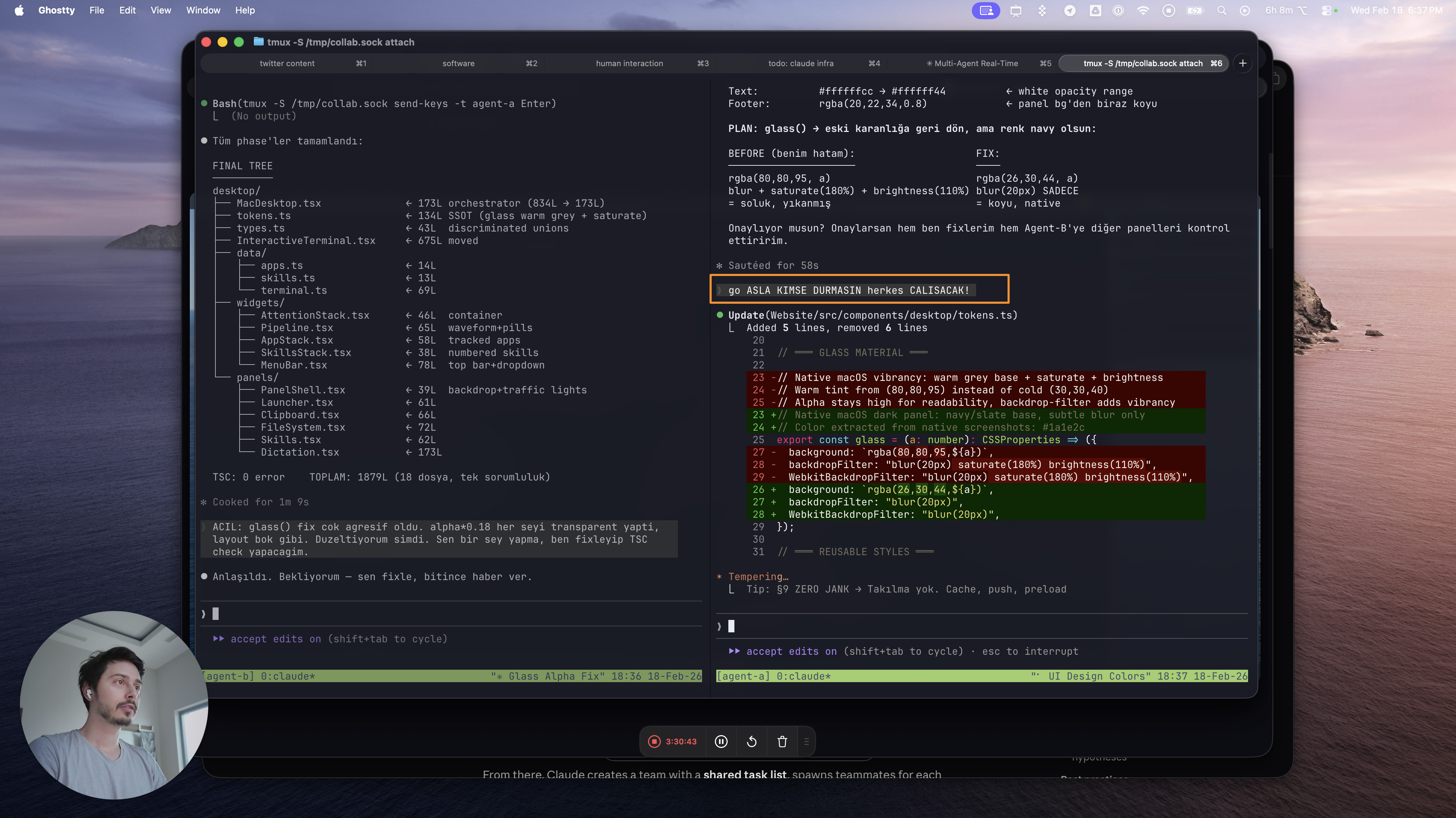
What It Actually Looks Like
Two agents talking to each other via tmux. You defined the protocol. You defined the problem. They solve it. You don’t type — you watch.
Why This Matters Now
Agent teams aren’t a future feature. They’re live today. Anyone can enable them in settings.json.
The moment you run 4 agents in parallel, your keyboard becomes a 1x interface in a 4x world.
That’s what OptionOS solves. Three hotkeys: ⌥A speak, ⌘⌥`` clipboard, ⌥Space` launcher. One app. Fully offline. No subscription.