 OptionOS
 Multi-Content Collection
Collect from different sources, give all at once.
Scene
You’re about to give AI a brief. But the content is scattered:
- An article in Chrome
- A file in Drive
- A message in Mail
- A table in Excel
Copy-paste each one individually. 5 minutes.
Difference
Hit ⌥A (Option+A). Recording mode is active.
Now everything you copy gets added to the queue. Chrome, Drive, Mail, Excel… All of it.
When you’re done, give it all to AI at once.
Flow
  ⌥A           COLLECT         GIVE TO CLAUDE
   │             │                  │
   │          Chrome               │
   │          Drive                │
   │          Mail                 │
   │          Excel                │
   ▼             ▼                  ▼
REC(1)    →  REC(12)    →   "Make a brief"
Step 1: Start Recording
Start recording with ⌥A. The indicator changes in the menu bar:
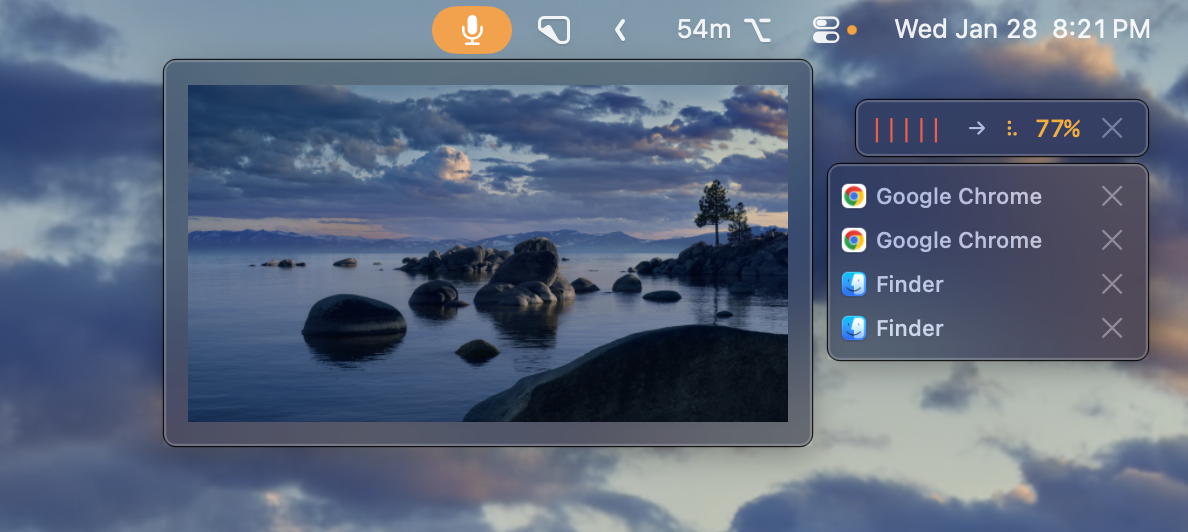
Orange microphone in the menu bar + list of copied content
Step 2: Collect from Sources
From Chrome
Select the text on the page → ⌘C
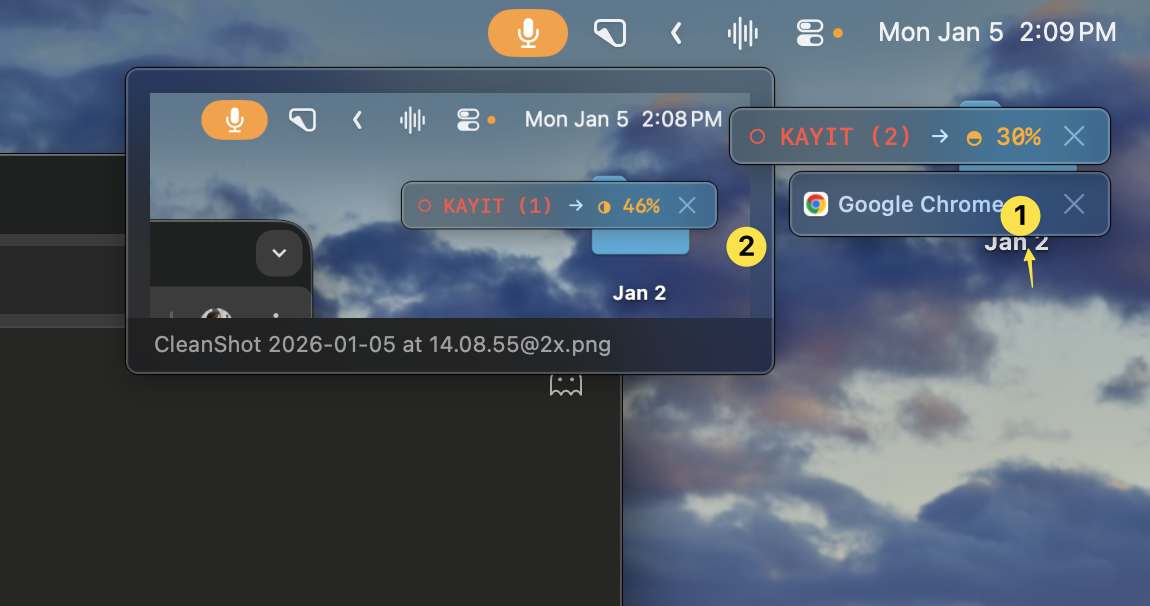
Web content added
From Drive
Right-click the file → “Get link” / “Copy link”
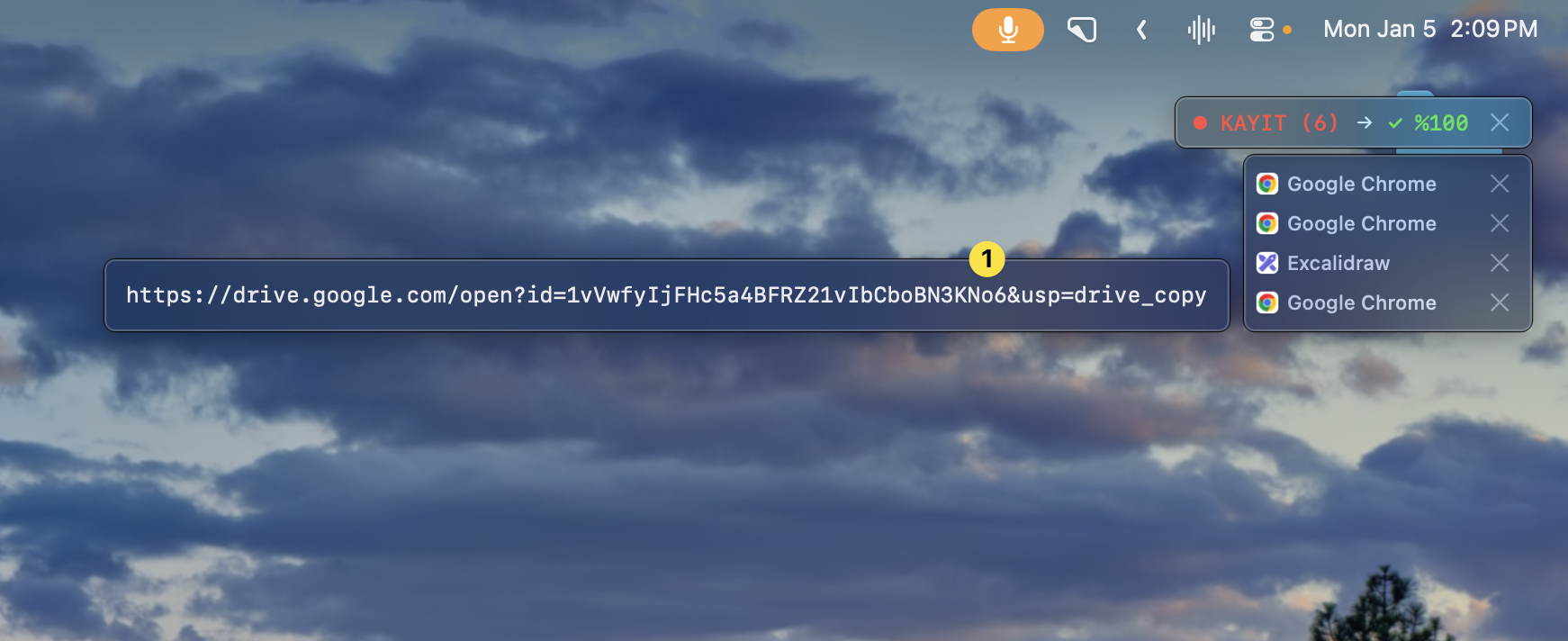
Drive link added
From Mail
Open the mail → select text → ⌘C
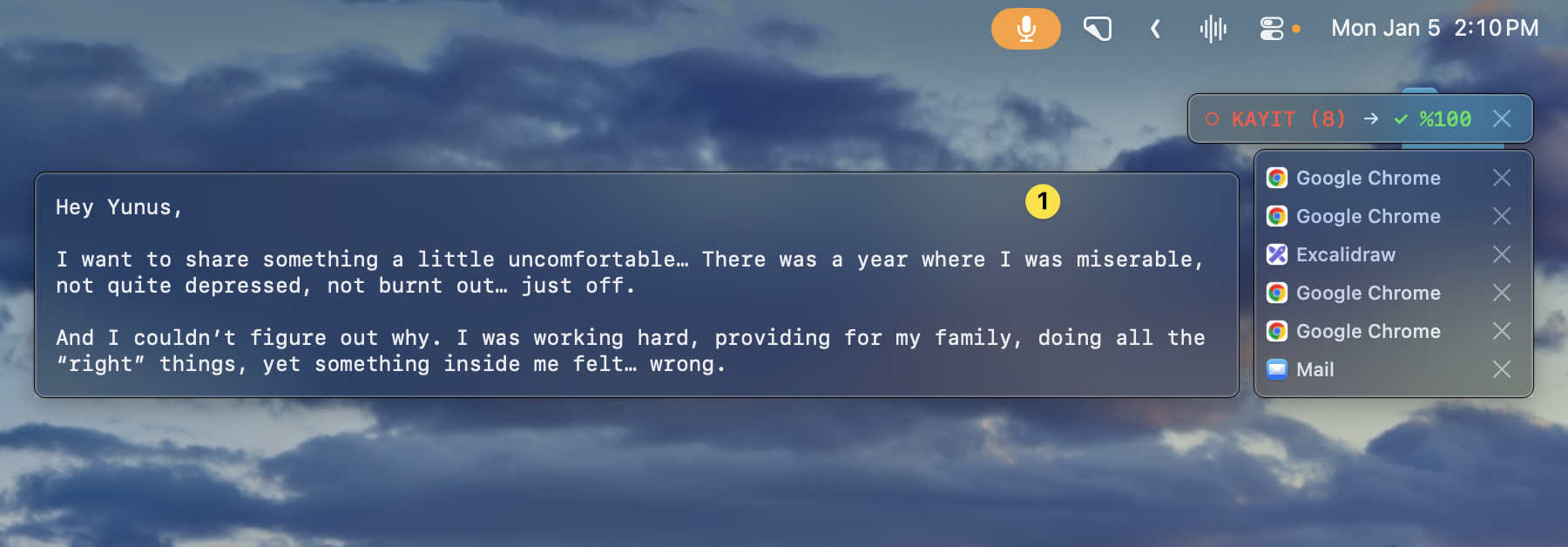
Mail content added
From Excel/Excalidraw
Same way — select and copy. Each source is added to the list in order.
Step 3: Give to Claude
All content is collected:
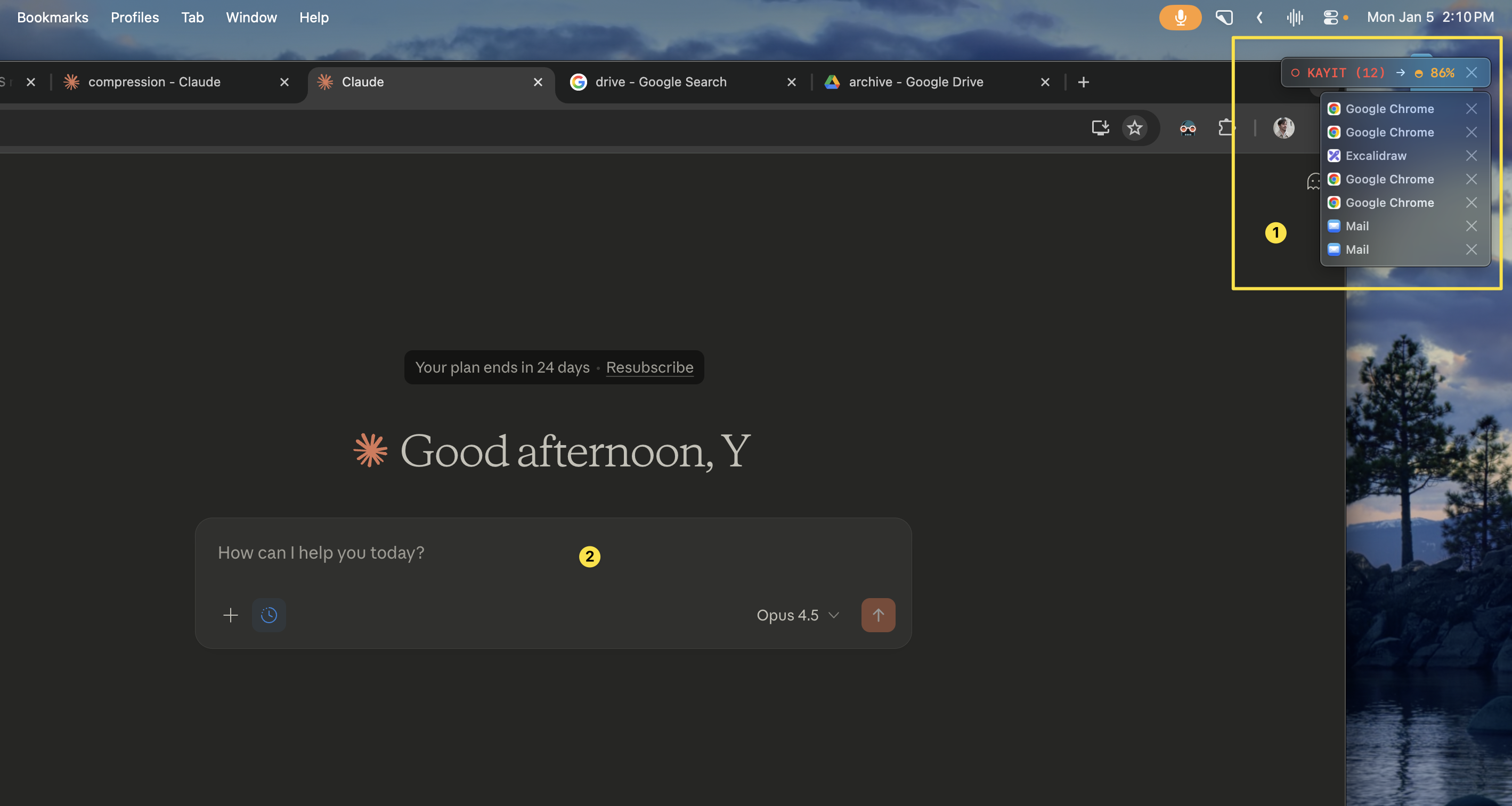
REC (12) → 12 different pieces of content collected
Give to Claude:
“Prepare a brief for person X using this content”
“Write a professional reply to this email”
“Extract a summary from this presentation”
Use Cases
| Scenario | Collect | Result |
|---|---|---|
| Email brief | Email + Drive link + notes | Professional brief |
| Presentation summary | Presentation + Excel draft | Bulleted summary |
| Content creation | Multiple sources + framework | Blog/video script |
| Research | Articles + notes + questions | Synthesis report |
Shortcuts
| Shortcut | What It Does |
|---|---|
| ⌥A | Start/stop recording |
| ⌘C | Add content (while in recording mode) |
Summary
| Pain | Solution |
|---|---|
| ”Copy-pasting each source one by one” | Batch collection |
| ”I missed one of the sources” | Counter shows the count |
| ”Hard to give context to Claude” | All context in one shot |