 OptionOS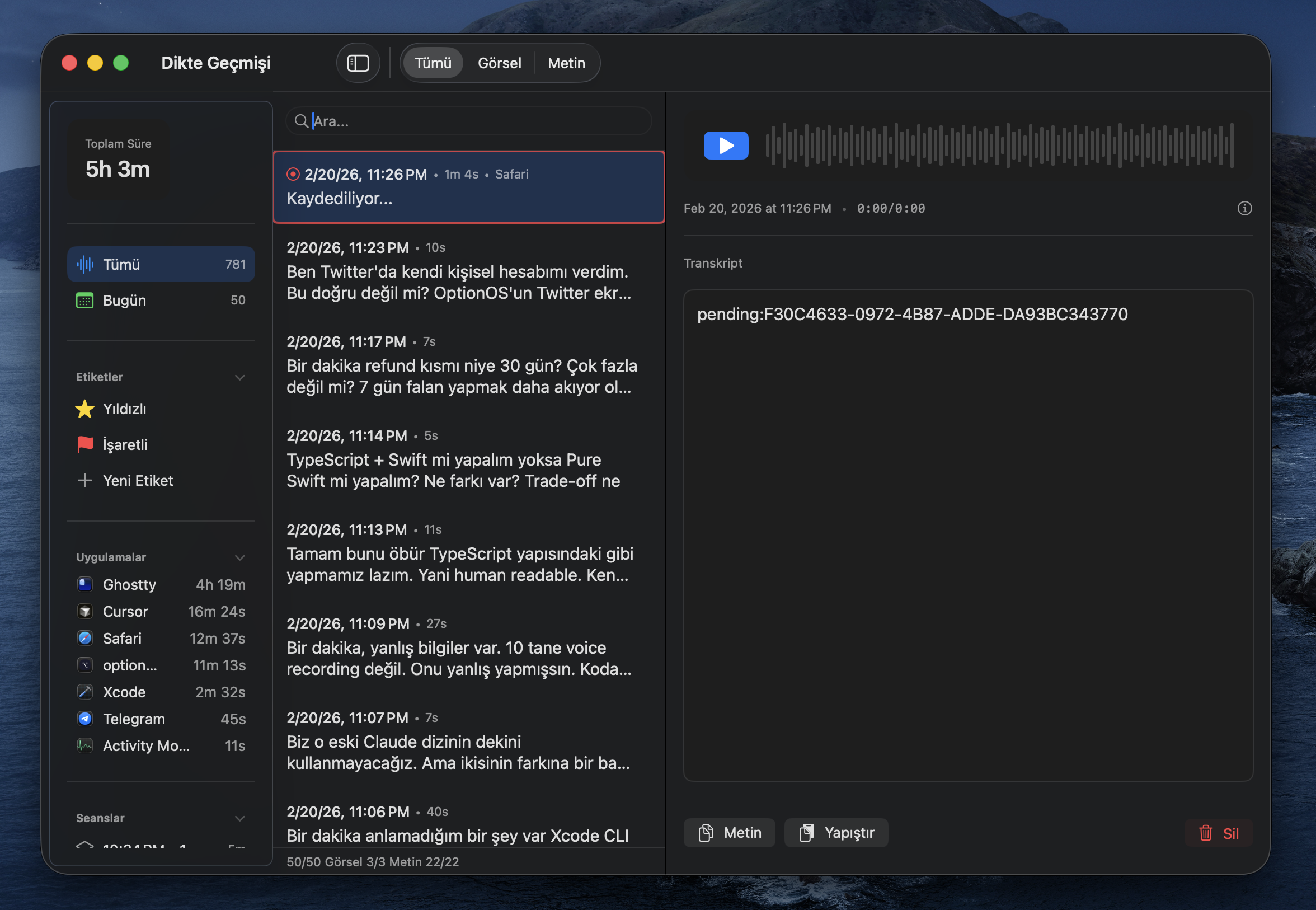
Voice Thinking
Scene
You’re walking on the balcony. Looking outside. You have an architectural decision in your head. You think by talking — using your hands, walking, sometimes stopping. You’re not looking at a screen. Your body is part of the thought.
Then you sit down. Start typing. The thought stops. You’re choosing words, building sentences, filtering. Eliminating mistakes. But among those mistakes was the reasoning AI needed to see. Why you made that decision, what you eliminated and what you kept, what order you thought in.
When you type, AI only sees your decisions. When you talk, it sees how you think.
”I think by talking but it used to get lost”
Hit ⌥A. Talk. Hit ⌥A. Done.
Works on top of every app. VSCode open, Cursor open, Safari open — doesn’t matter. One key, same everywhere. You don’t switch apps, don’t open windows, don’t lose focus.
Why one key? Because every app has its own voice recording. X’s interface is different, Y’s shortcut is different, Z’s settings are different. Learning 5 interfaces = 5x cognitive load. Learn one, works everywhere.
”I use my computer while talking”
You’re not just talking. While talking you’re opening files in VSCode, reading docs, looking at images. What you read triggers your thought, your thought turns into speech.
Other apps open popups, block your screen, prevent you from seeing what you’re working on. OptionOS is invisible. It lives in the menu bar. Whatever’s on your screen, you keep seeing it.
”I talked for 5 minutes, hit Escape, everything was gone”
You’re working in VSCode. You reflexively hit Escape. Other apps close on Escape. 5 minutes of speech, gone.
In OptionOS, Escape does nothing. If you want to cancel, ⌥Escape — a deliberate action. No accidents.
But the real protection is different: every recording is written to disk instantly. App crashed, computer shut down, power went out — your audio file is there. Open it, re-transcribe. Nothing is ever lost.
”I talk for a long time, then wait for the result”
You talked for 10 minutes. Finished. Now you’ll wait for 10 minutes of transcription.
In OptionOS, when you pause for 2-3 seconds, it transcribes everything up to that point. Your thinking pause = processing moment. While you think, it works. By the time you finish talking, the text is already ready.
”A new idea hit me while transcription was running”
Your speech is done, transcription is running. Meanwhile a new idea explodes in your head. Panic. The idea will vanish. But transcription is still going.
Hit ⌥A, say the new thing. The previous transcription continues, the new recording gets added on top. Merged. Order isn’t broken. Add as many as you want — they’re all part of the same flow.
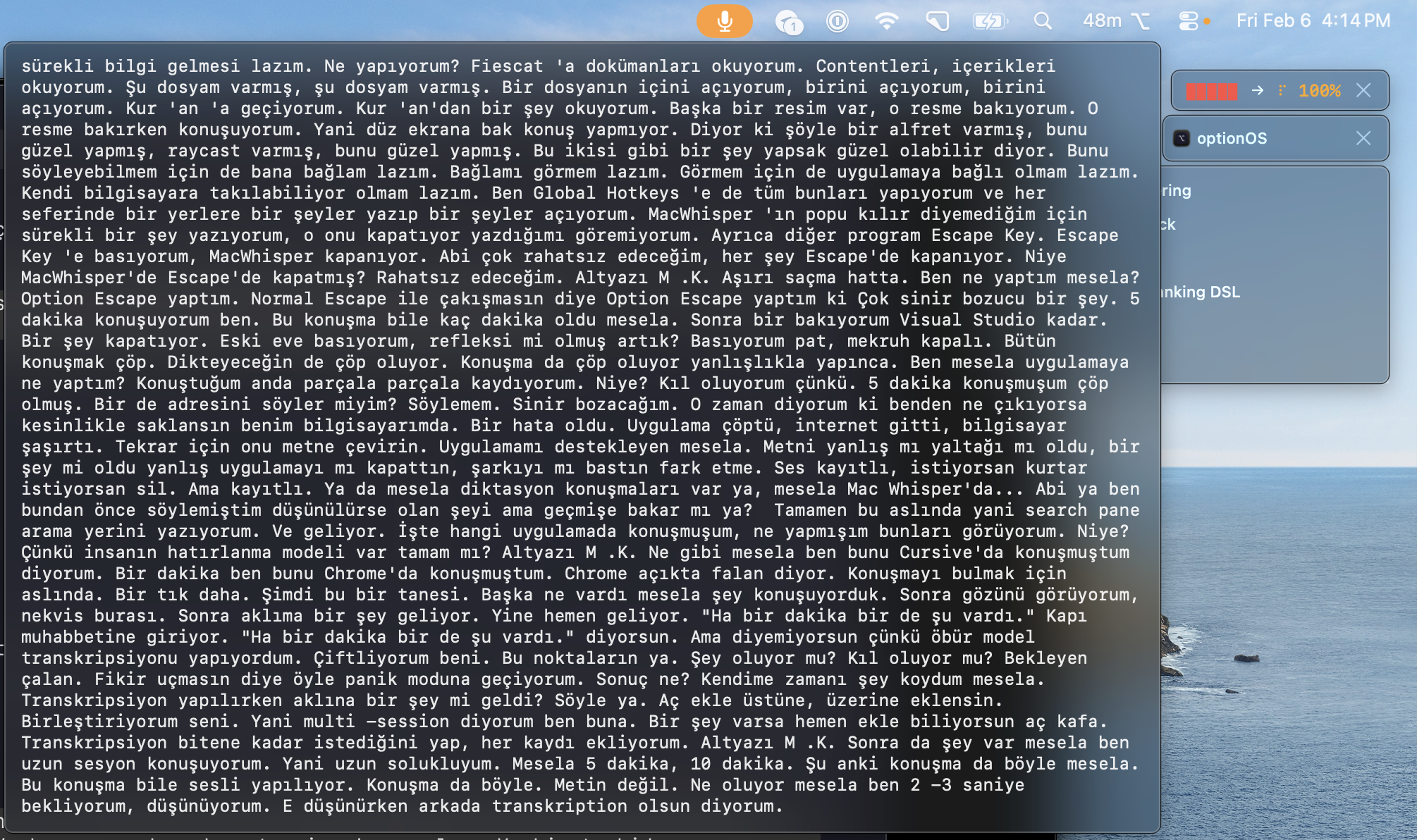
”I want to see what I said — right now, live”
While talking you wonder “did I already say this?” Or you want to check if the transcription converted it correctly.
Hover over the panel. Live transcription appears. Like YouTube subtitles — text flows as you talk. No need to go back and check.
”I copy things while talking, but context breaks”
While talking you say “look, we’ll take that feature over there.” At that moment you copy a screenshot. Then you say “we’ll use the structure in this file.” You copy a code block. 5-10 copies in 10 minutes.
They all line up in the same order as your speech. Text + screenshot + code + link — in exactly the order you spoke. When you give it to AI, “that” and “this” don’t get lost. It’s clear what you were showing when you said what.
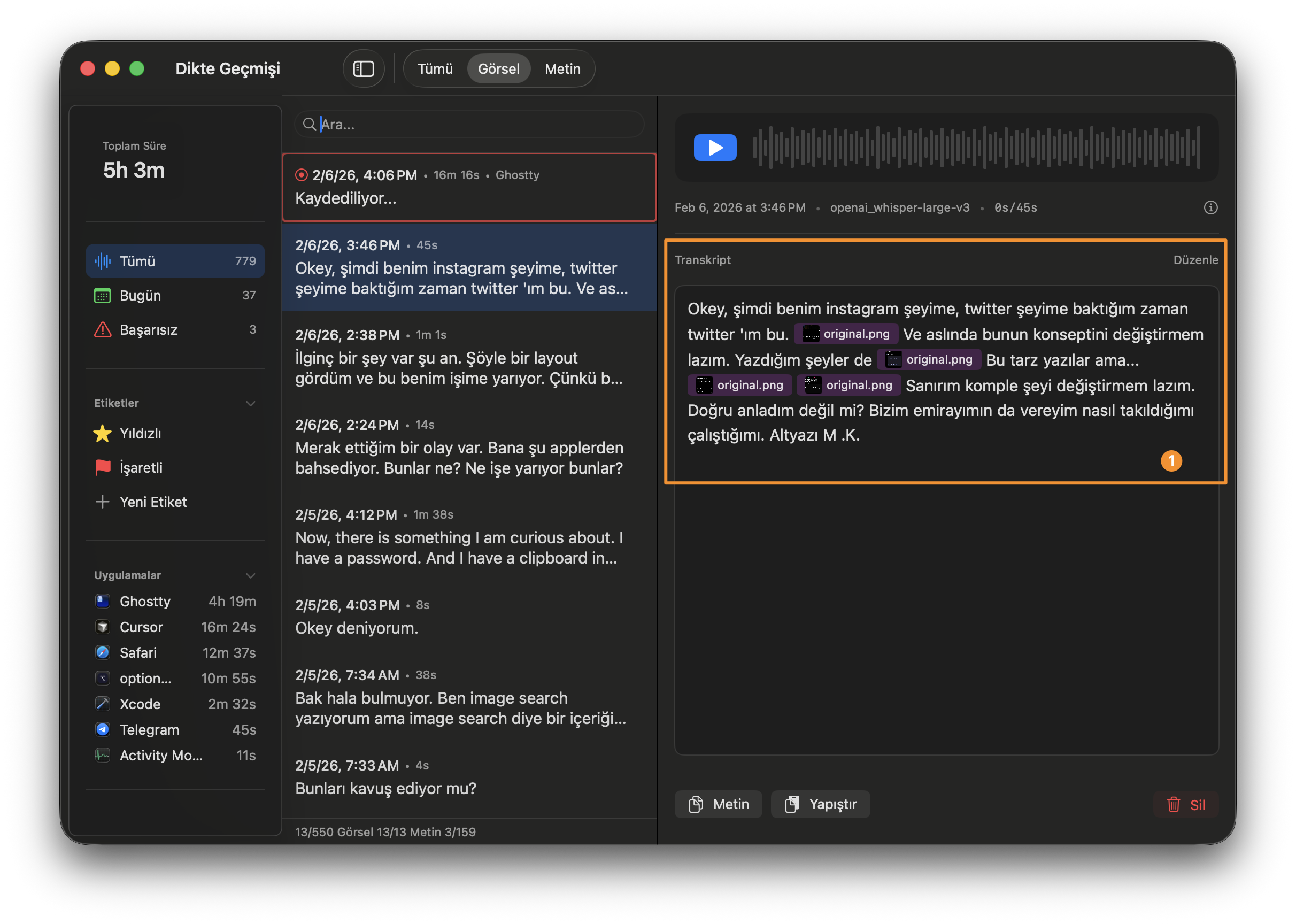
Doing this after the fact is impossible. Pasting one by one, remembering the order, rebuilding the context — it needs to happen in the moment. Instantly.
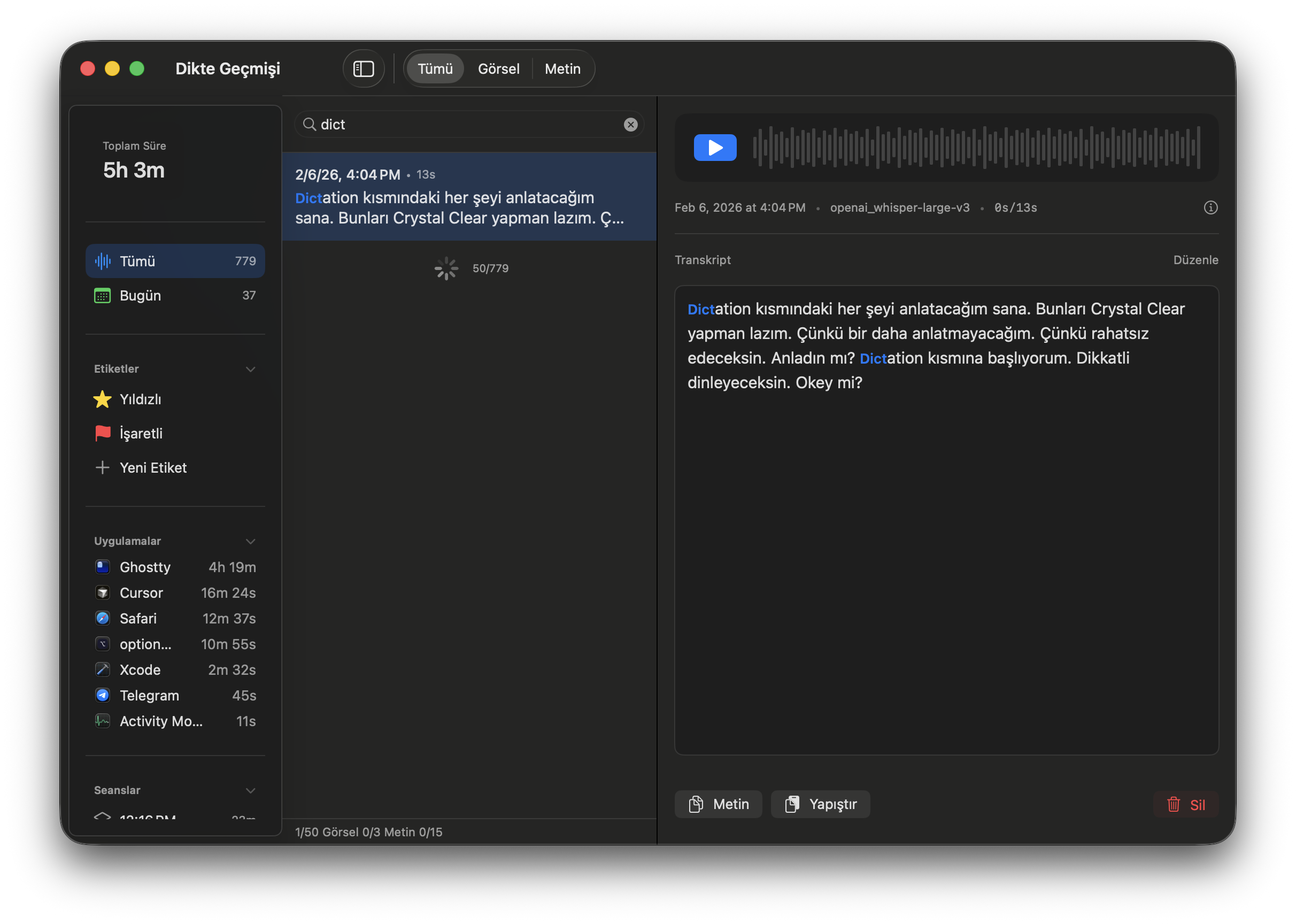
”I had this conversation before but which one was it?”
779 recordings. “I said this while Cursor was open.” Or “I said something while Chrome was open.”
Open the search panel. Type. You can see which app was open when you spoke. Date, duration, app, text — all filterable. Human memory works with context: “where was I when I said that?” is answered here.
”It came out wrong, I can’t redo it”
Transcription is bad. Audio was poorly converted.
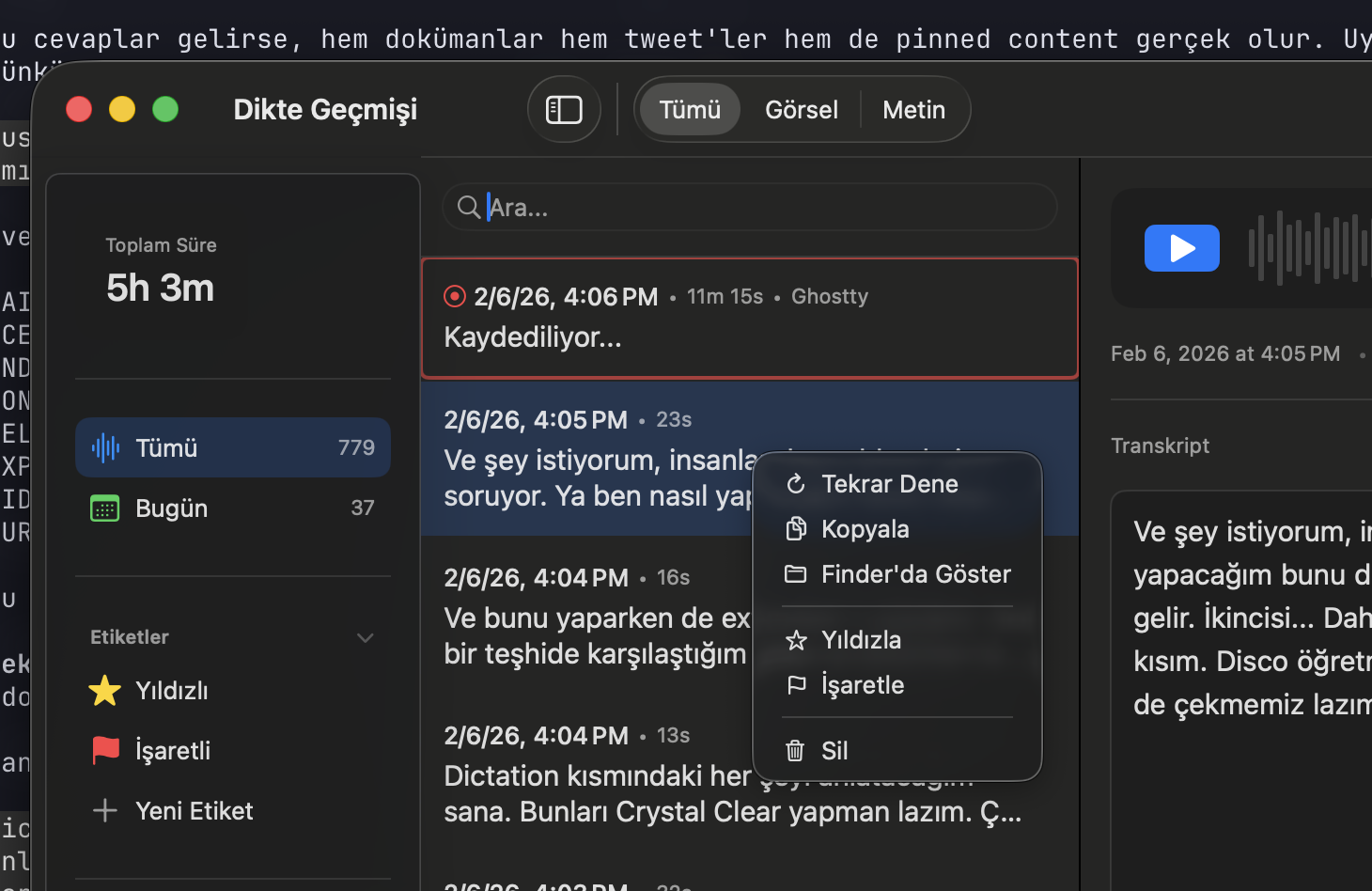
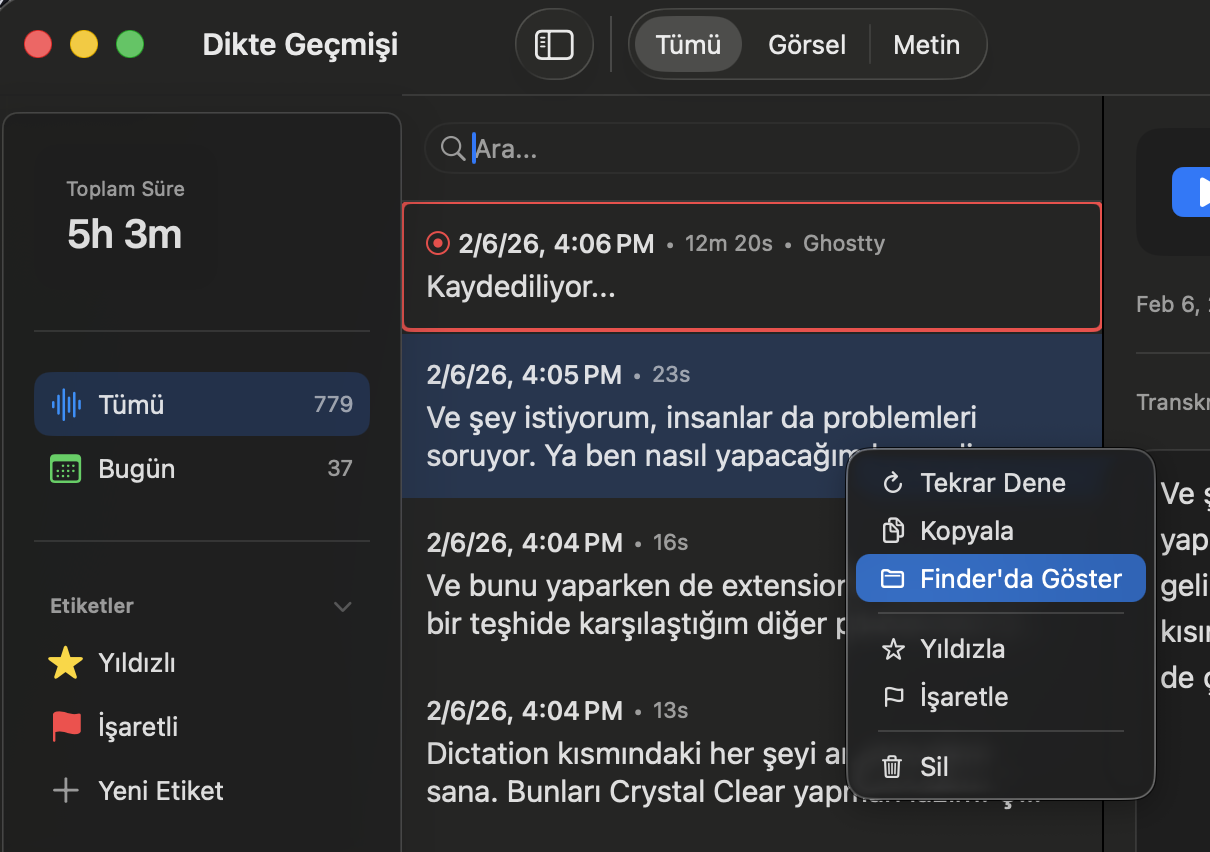
Right-click → “Retry.” Re-transcribes the same recording. Or “Show in Finder” — go to the audio file, open it with any tool. The raw audio is always there.
”I can’t remember my notes while talking”
You have notes from before. Documents, commands, decisions. But they don’t come to mind while talking. Later you think “oh I already wrote this” — too late.
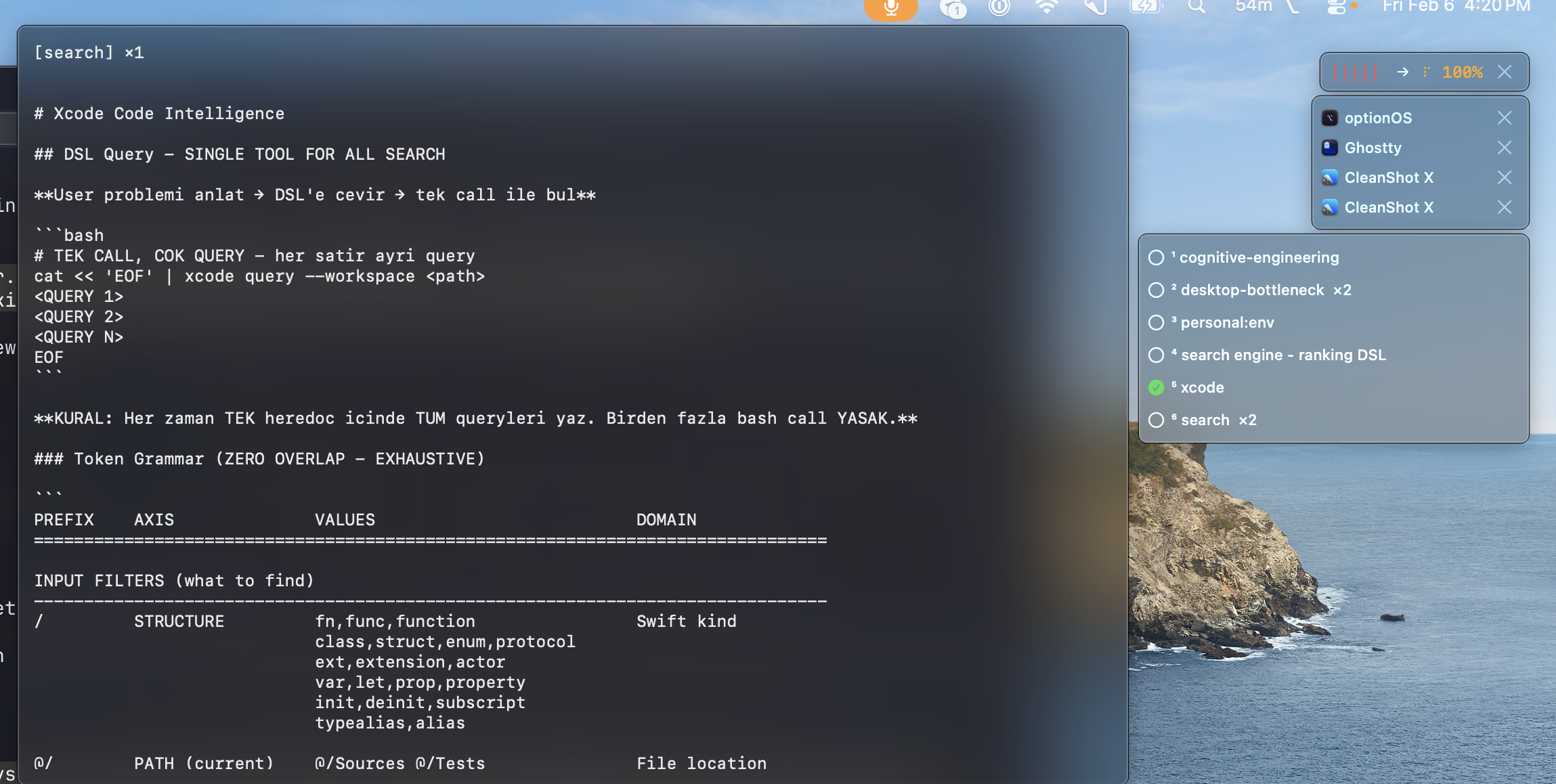
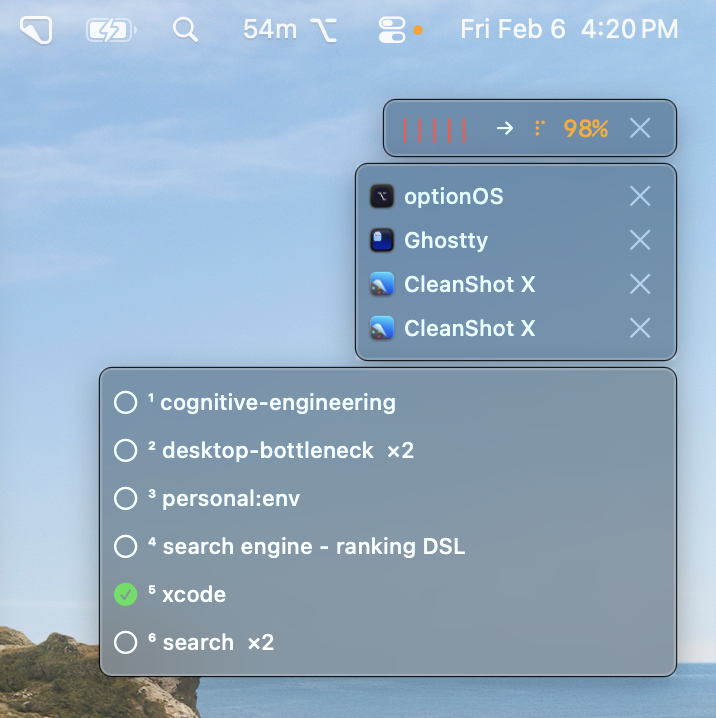
While talking, keywords in the transcription match your notes. You said “Xcode” — your Xcode notes are suggested. You said “search engine” — your DSL document comes up. Like a friend telling you “you already knew this.” Exactly that.
”I want to resend my past conversations”
You want to give AI something you said before. In the same order, with the same copies.
Open history. Find the conversation. Copy. Everything comes in original order — text, images, links.
Need multiple conversations? Select with Shift. Copy or paste 3-4 at once. Batch.
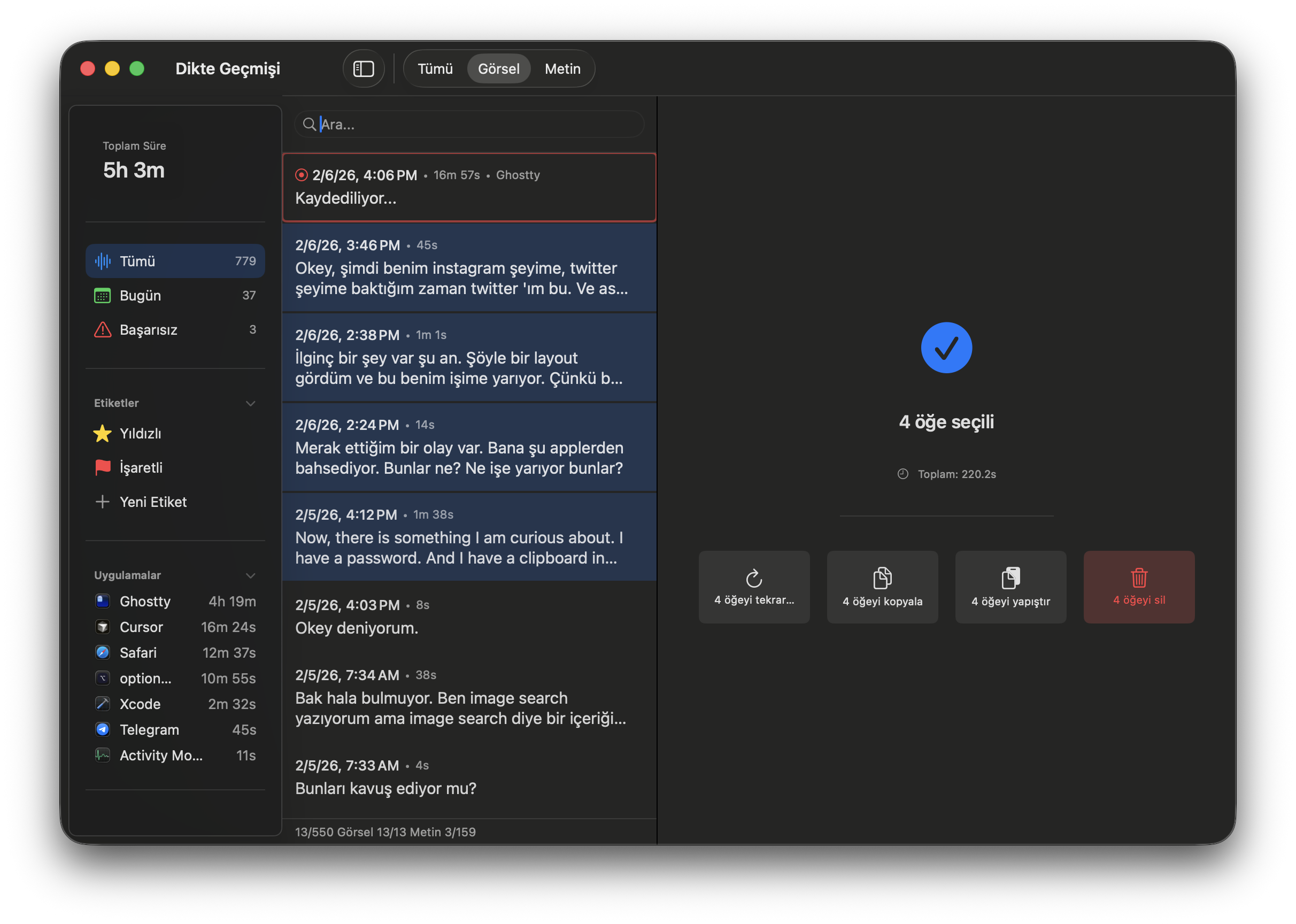
”Not just coding, everything is voice”
You saw something on Instagram. Copied it. Said “look, there’s this approach here, what do you think?” This isn’t a coding session — it’s brainstorming. Like talking to a friend.
Same flow: drop a link, copy a photo, say your thought. Everything merges. Coding, architecture, strategy, ideas — all the same tool.
”I want AI to find my old conversations”
“I talked about something related to this before.” But which one? You can’t find it among 779 recordings.
Search history. Find it. Send to AI. Say “I have conversations about this topic, look.” Let AI combine your old thoughts with today’s problem.
Technical Details
Model
| Model | When? |
|---|---|
| Fast | Daily use, speed priority |
| Precise | Quality priority, important content |
The model downloads on first use. Then completely offline.
Language
You can speak mixed. Sentences like “we need to implement this feature” switching between languages work fine.
Shortcuts
| Shortcut | What It Does |
|---|---|
| ⌥A | Start/stop recording |
| ⌥Escape | Cancel recordings |
Summary
| Pain | Difference |
|---|---|
| ”Thought stops when I type” | Talk, keep thinking |
| ”Every app has its own voice recording” | One key, everywhere |
| ”Hit Escape and everything was gone” | Audio file is always written to disk |
| ”Waited 10 minutes” | Silence = instant transcription |
| ”A new idea came, can’t add it” | Add on top, merge |
| ”Can’t see what I said” | Live subtitles |
| ”Context of my copies broke” | Speech + copies in the same order |
| ”Which conversation was it?” | Search by app, find it |
| ”It came out wrong” | Right-click, retry |
| ”Can’t remember my notes while talking” | Automatic suggestions via keyword matching |
| ”Resend a past conversation” | Copy, batch select, paste |
| ”Have AI find my old thoughts” | Search history, give to AI |