OptionOS
 Voice Thinking: Real Life Scenarios
I’ve made 781 recordings. Here are the scenarios I face daily and how they actually work.
Scenario 1: I Copied 3 Things While Talking — AI Got Them in Order
I’m describing a feature to AI. While talking I see a screenshot in Chrome — I copy it. I keep talking. I see a code block in Cursor — I copy it. I keep talking. I find a link — I copy it.
I finish talking. I look at the transcript:
"let's take this feature from the panel"
[screenshot: Chrome panel UI]
"and use this file structure"
[code: Sources/Module/Features.swift]
"here's the reference"
[link: github.com/yemreak/optionOS/...]
Text + screenshot + code + link — in exactly the order I said them.
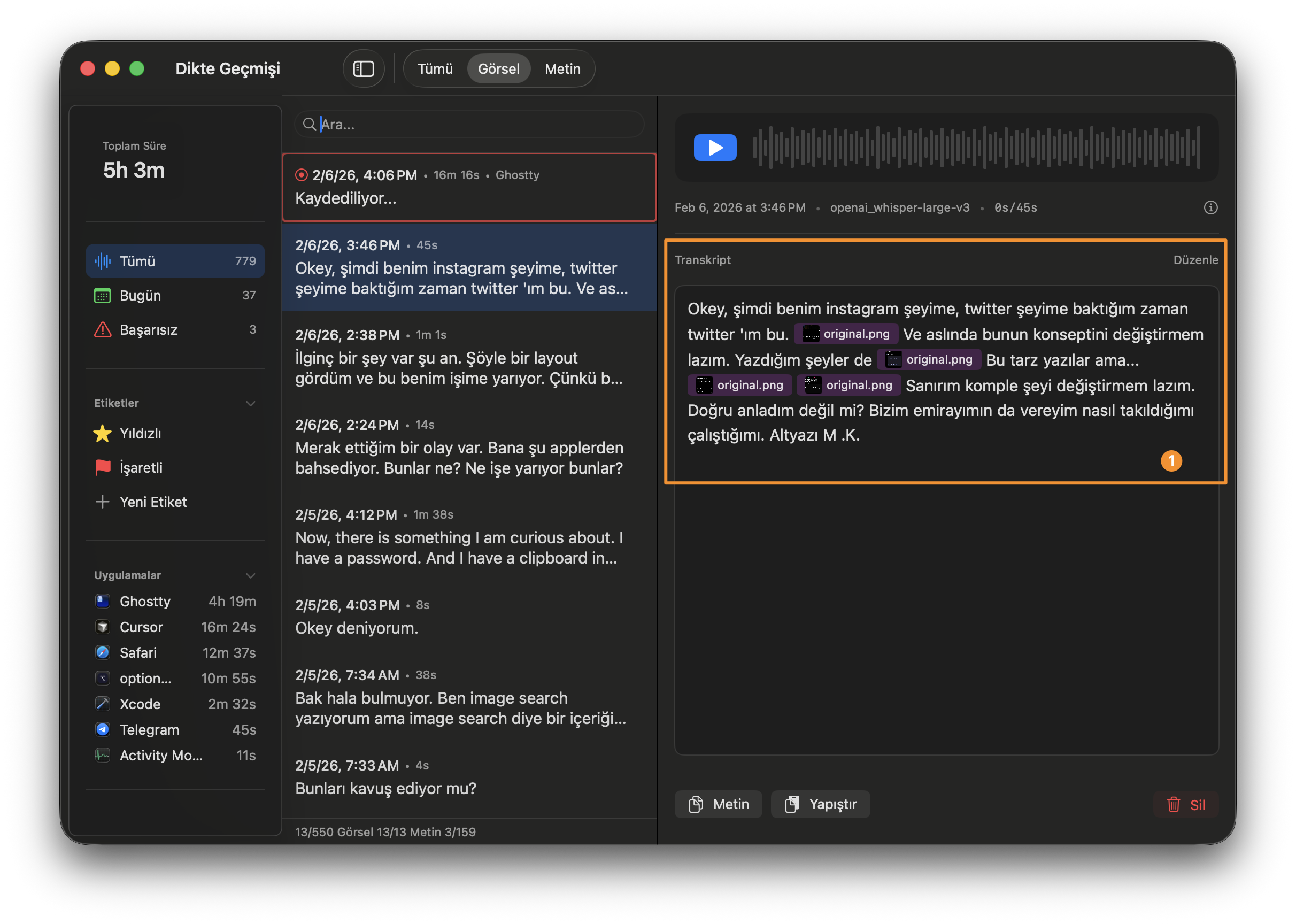
I give this to AI. “That” and “this” don’t get lost. It sees what I was showing when I said what.
Try doing this after the fact. Open 3 apps, paste one by one, remember the order, rebuild the context. Impossible.
Scenario 2: I Said “Xcode” — My Xcode Notes Appeared
I’m talking about a build issue. I say “…so the Xcode build system needs to…”
A popup appears. My Xcode skill document. Automatically.
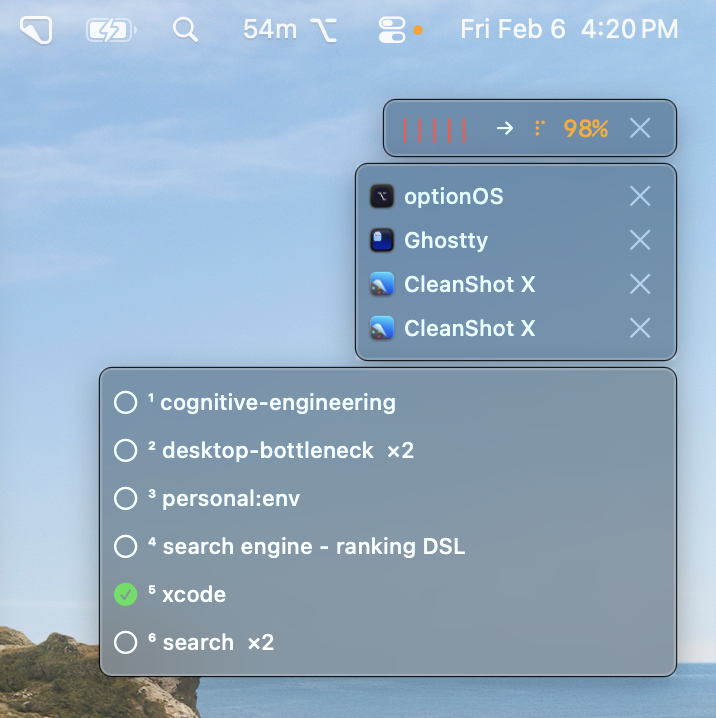
I didn’t search. I didn’t open the Skills panel. The keyword “Xcode” in my speech matched the keyword in my document’s frontmatter.
I click it. Preview shows the content. I copy the relevant section. Paste into AI.
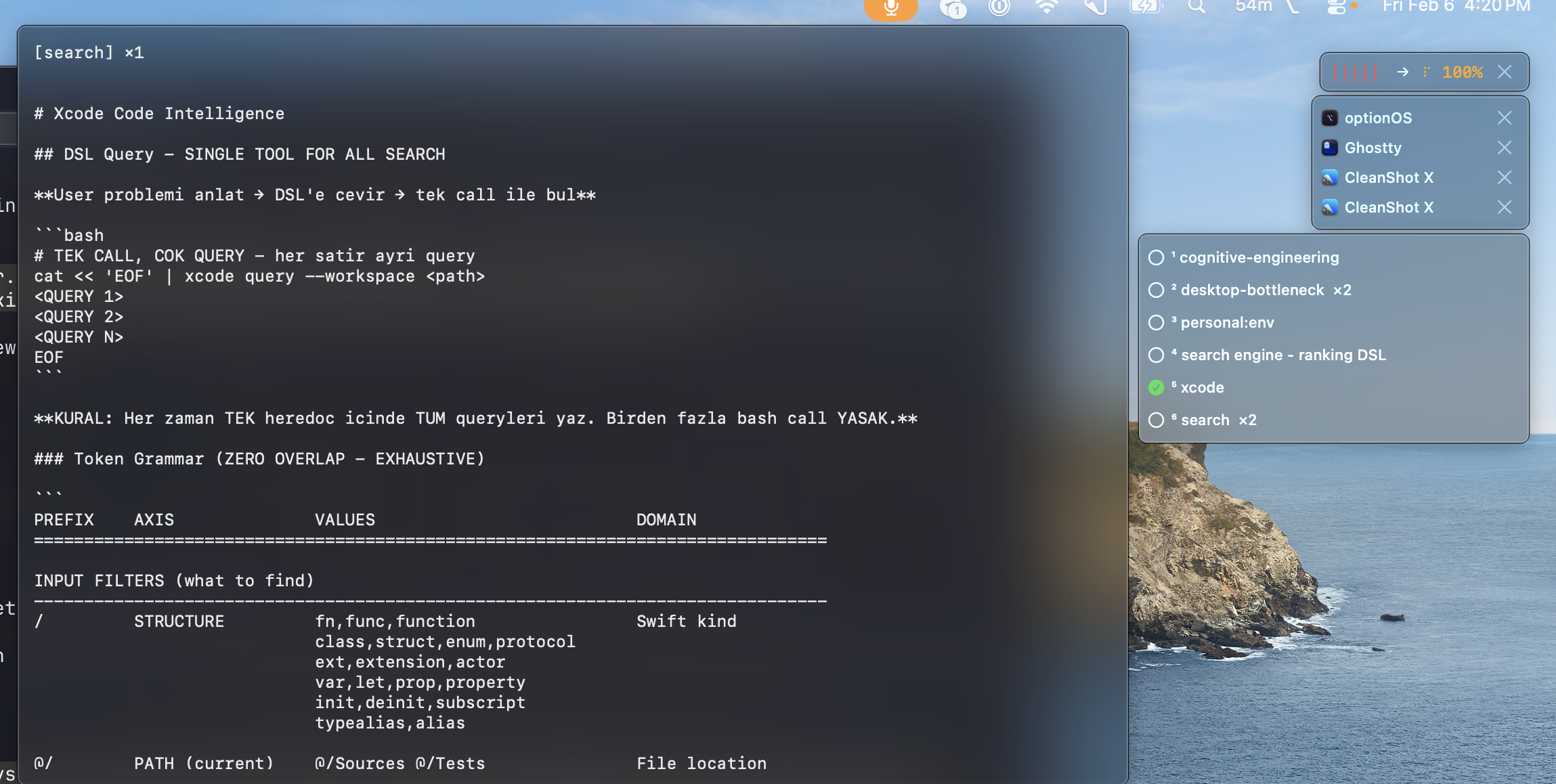
This is the bridge between Dictation and Skills. You don’t need to remember 127 document names. Just talk. The right ones come to you.
Scenario 3: 10 Minutes of Talking, 0 Seconds of Waiting
I talk for 10 minutes about an architectural decision. Normally: finish talking, wait 10 minutes for transcription.
Not here. I talk for 5 seconds, pause to think for 2 seconds — that pause triggers transcription. By the time I continue talking, the first chunk is already text.
[talking]     "the module should handle its own state..."
[2 sec pause] → transcribes everything up to this point
[talking]     "...and the UI layer only reads from it..."
[2 sec pause] → transcribes this chunk too
[talking]     "...so the boundary is clear"
[done]        → last chunk transcribes
              → TOTAL WAIT: ~2 seconds (last chunk only)
Your thinking pause = processing moment. While you think, it works. By the time you finish, text is already ready.
Scenario 4: New Idea While Transcription Was Running
I just finished a 5-minute recording. Transcription is at 84%. A new idea explodes in my head. It’ll vanish in 30 seconds.
I hit ⌥A. Start talking. The previous transcription continues. The new recording starts on top.
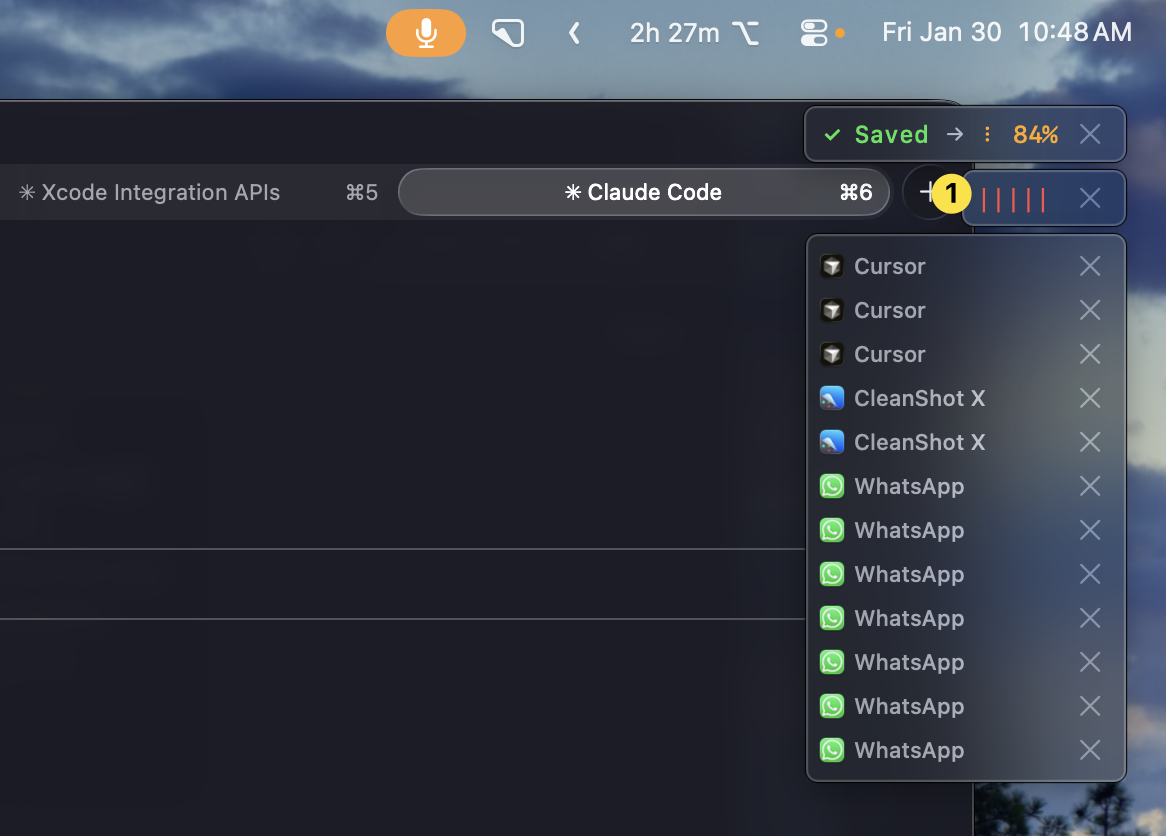
When both finish, they merge. Order isn’t broken. First recording first, second recording second. Add as many as you want — they’re all part of the same flow.
Scenario 5: “I Said This While Cursor Was Open” — Found It
779 recordings. I need the one where I was talking about the search engine while Cursor was open. Last week sometime.
I open the search panel. Type “search engine”. Filter by app: Cursor. Filter by time: this week.
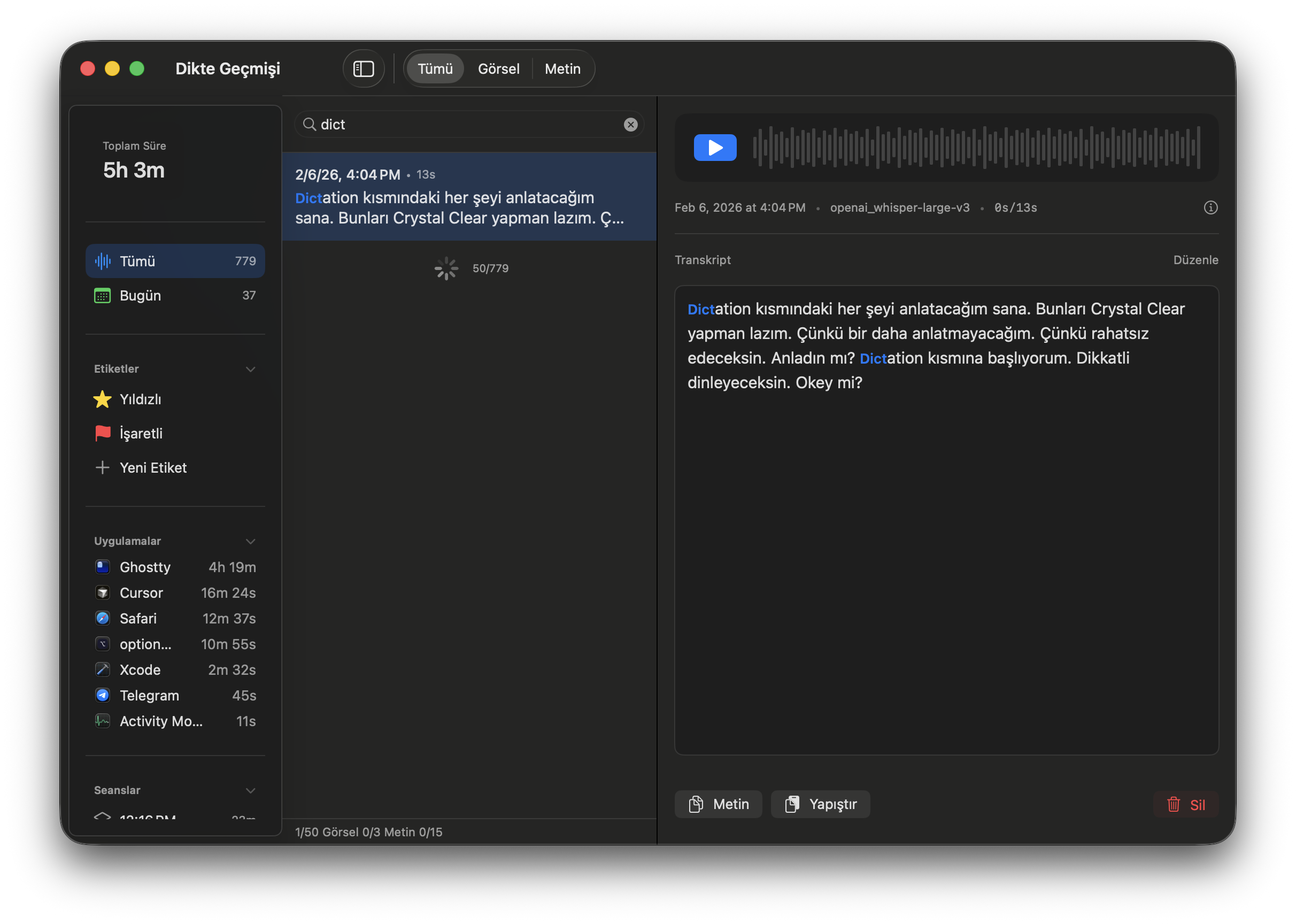
Human memory works with context: “where was I when I said that?” Date, duration, app, text — all filterable. The context you remember is the context you search by.
Scenario 6: Live Subtitles — I See What I’m Saying
I’m talking and wonder: “did I already say this?” Or I want to check if the transcription is converting correctly.
I hover over the panel. Live transcription appears on screen. Words flow as I speak.
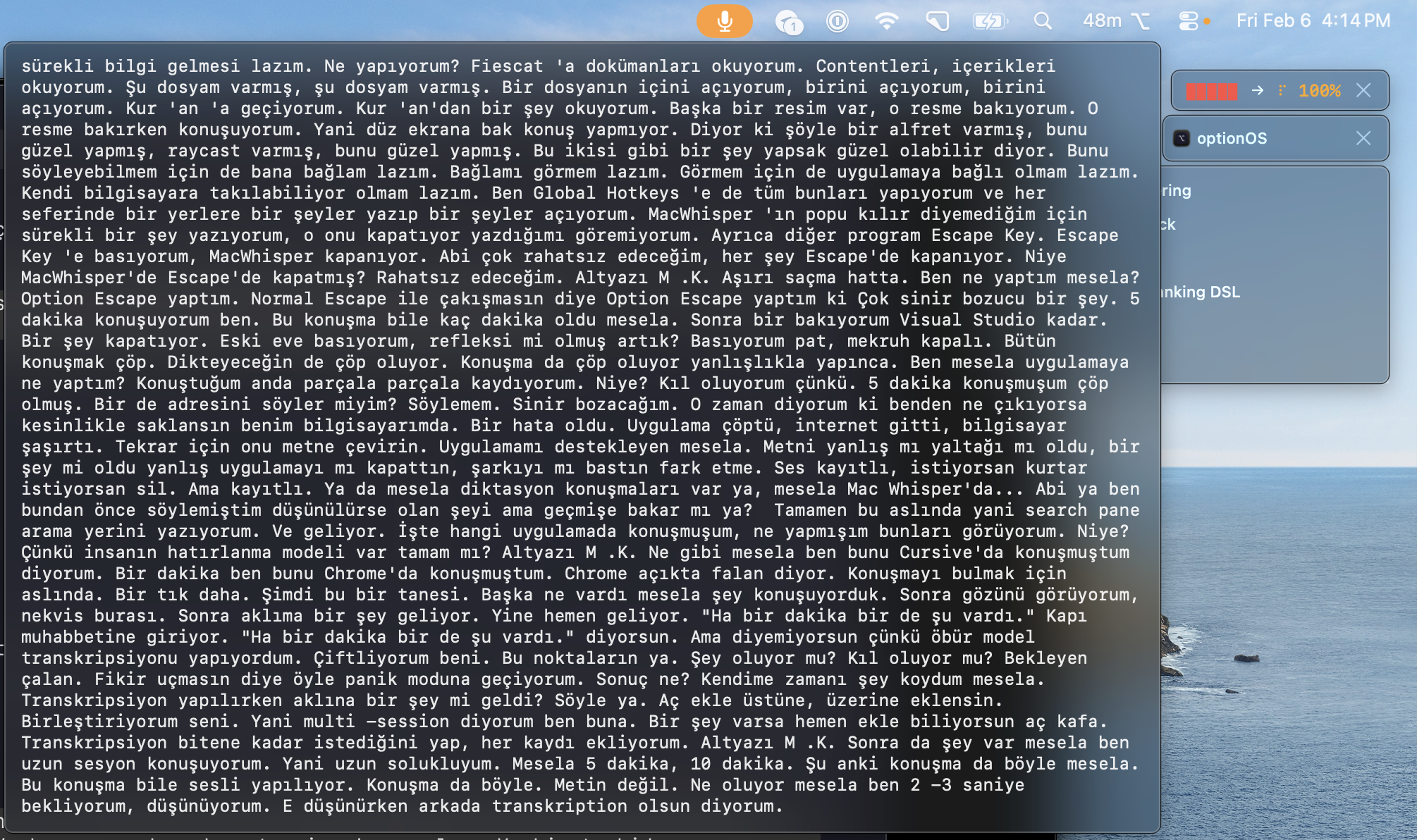
No need to stop, go back, check. I see it while I think. If something came out wrong, I correct it right there in the next sentence.
All Filters: Dictation Search
⌥A              → start/stop recording
⌥Escape         → cancel (deliberate — Escape does nothing)
What happens automatically:
2 sec pause     → transcribes current chunk (no waiting)
⌘C while rec    → copy added inline (in speech order)
keyword match   → related skill suggested (from frontmatter)
This Post Was Made by Voice