 OptionOS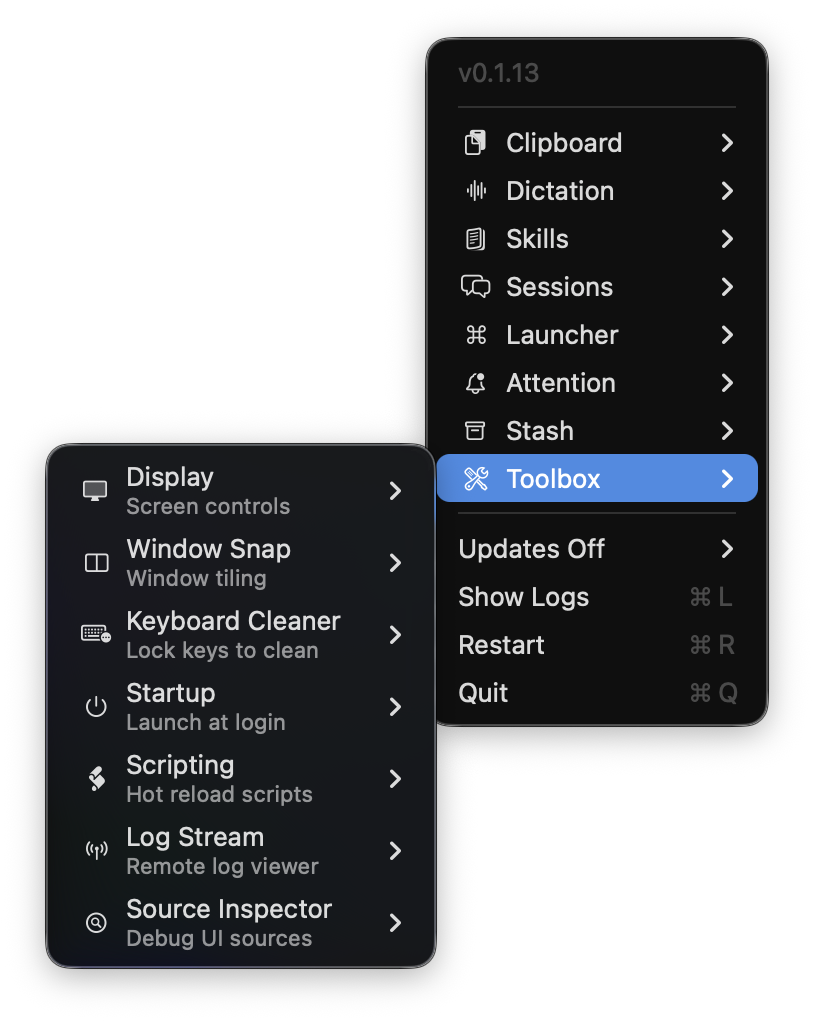
Toolbox
Display — Turn off the screen, push past brightness
You’re using an external monitor. Your laptop screen is on. Content drifts over there, the computer works for nothing. Annoying.
Turn off the laptop screen. Keep using the hardware — keyboard, mouse, external monitor.
Working outside in the sun? Turn on XDR mode. The brightness limit is removed. You can see the screen on the street.
Window Snap — Put the window in place
No more manually resizing windows.
| Shortcut | Result |
|---|---|
| ⌃⌥⌘← | Left half |
| ⌃⌥⌘→ | Right half |
| ⌃⌥⌘↑ | Center, large |
| ⌃⌥⌘↓ | Center, small |
| ⌃⌥⌘↵ | Full screen |
Keyboard Cleaner — Lock the keyboard
You want to clean your keyboard. While cleaning you hit keys. Random characters on screen. Windows closing.
Hit ⌃⌥K. Keyboard and mouse are locked. Clean. Unlock with ⌥Escape.
Cat lying on the keyboard? Lock it. Baby pressing the screen? Lock it. Let them do whatever they want.
Startup — Launch at startup
When Mac starts, OptionOS starts automatically. No manual opening, no forgetting.
Summary
| Tool | When? |
|---|---|
| Display | External monitor, working outside |
| Window Snap | Window placement |
| Keyboard Cleaner | Cleaning, cat, baby |
| Startup | Auto-launch |